¶ Archiving Process
The archiving feature allows processes to be archived based on the configuration defined in the Result Type. Archiving is automatically triggered after a process is completed and handled.Archiving manager role needs to be link to user to allow archiving.
To create process, follow steps mentioned on page process creation.
To manage process or handled process ,follow steps mentioned on page process manage
When Archiving Occurs
-
Archiving is triggered after a process is completed and handled with a Result Type.
-
The Result Type defines the archival behavior including:
-
Archival Nomination
-
Retention Period
-
Disposal Date
-
Archival Start Date
Viewing Archive Information
-
After handling the process, a “Archive Information” button becomes visible.

-
Click it to view archiving details.
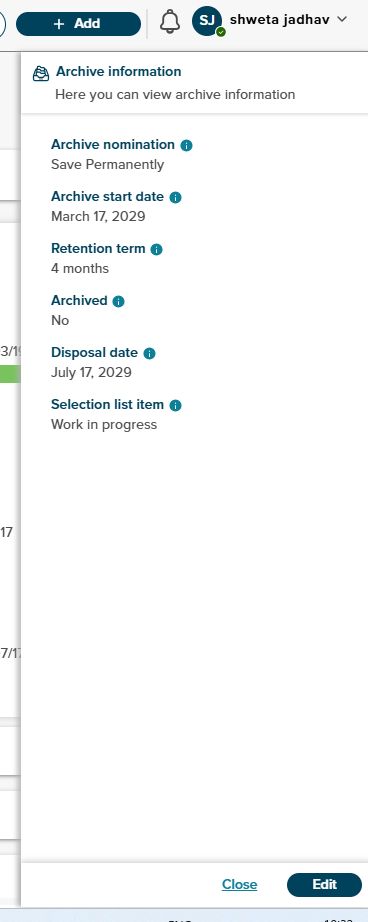
The following fields are auto-filled based on the selected Result Type:
-
Archival Nomination
-
Retention Period
-
Disposal Date
-
Archival Start Date
-
Archived property.
Editing Archive Properties
- Only users with the Archival Role can edit the archive properties.
Once the process reached archaival start date, archving will start and archived property will set to yes.