¶ Extend Process
This page describe information about extend feature for process. To create a process ,follow the steps mentioned on the page process creation.
Admin can see extend option only when allowed extension is configured for processtype in admin.
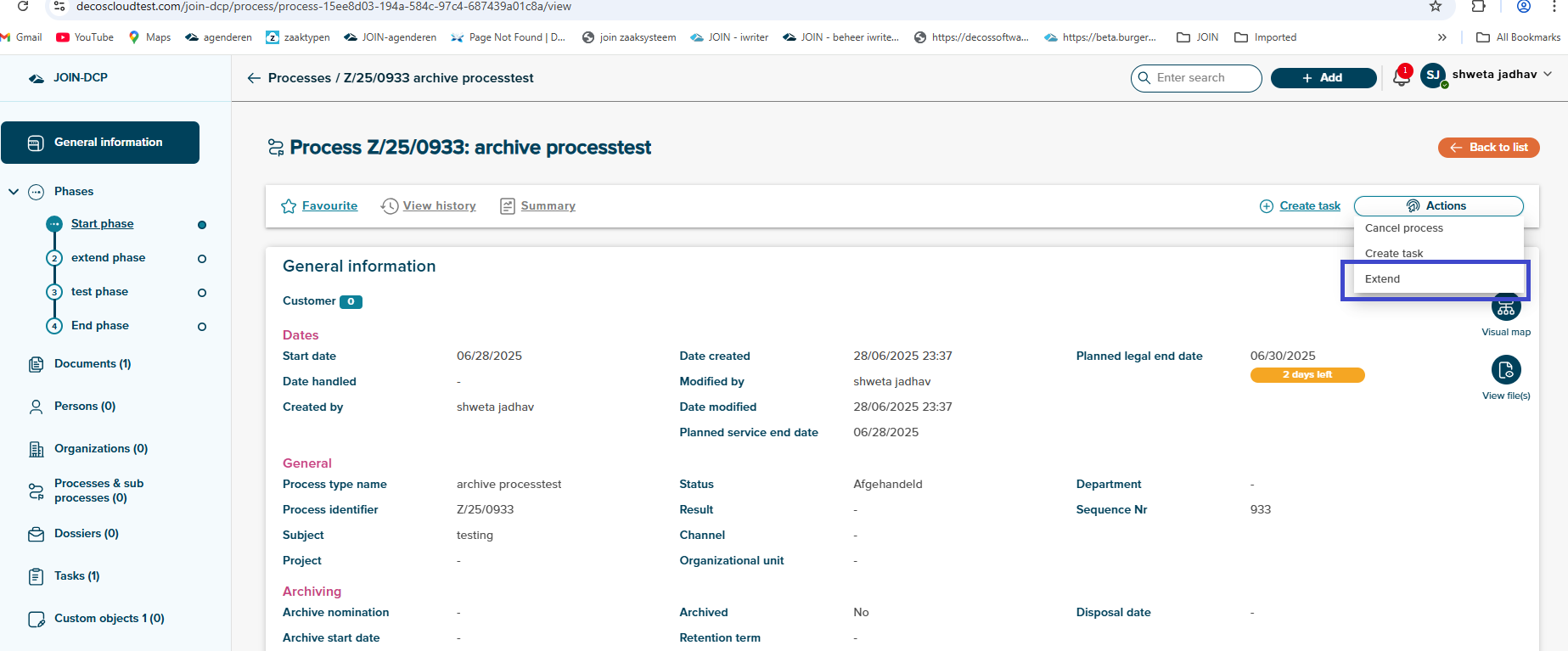
- User can see extend option under actions tab on phase or details page of process.
- User can’t see extend option if allowed extension not configured for processtype in admin
- User can’t see extend option if process/phase is completed/handled
- User can extend process only once.
- User can’t see extend option if planned legal end date is past date.
After clicking on Extend option, side panel will open with fixed extension period and remark field.
Extesion term is prefilled as user configured extension term in processtype.
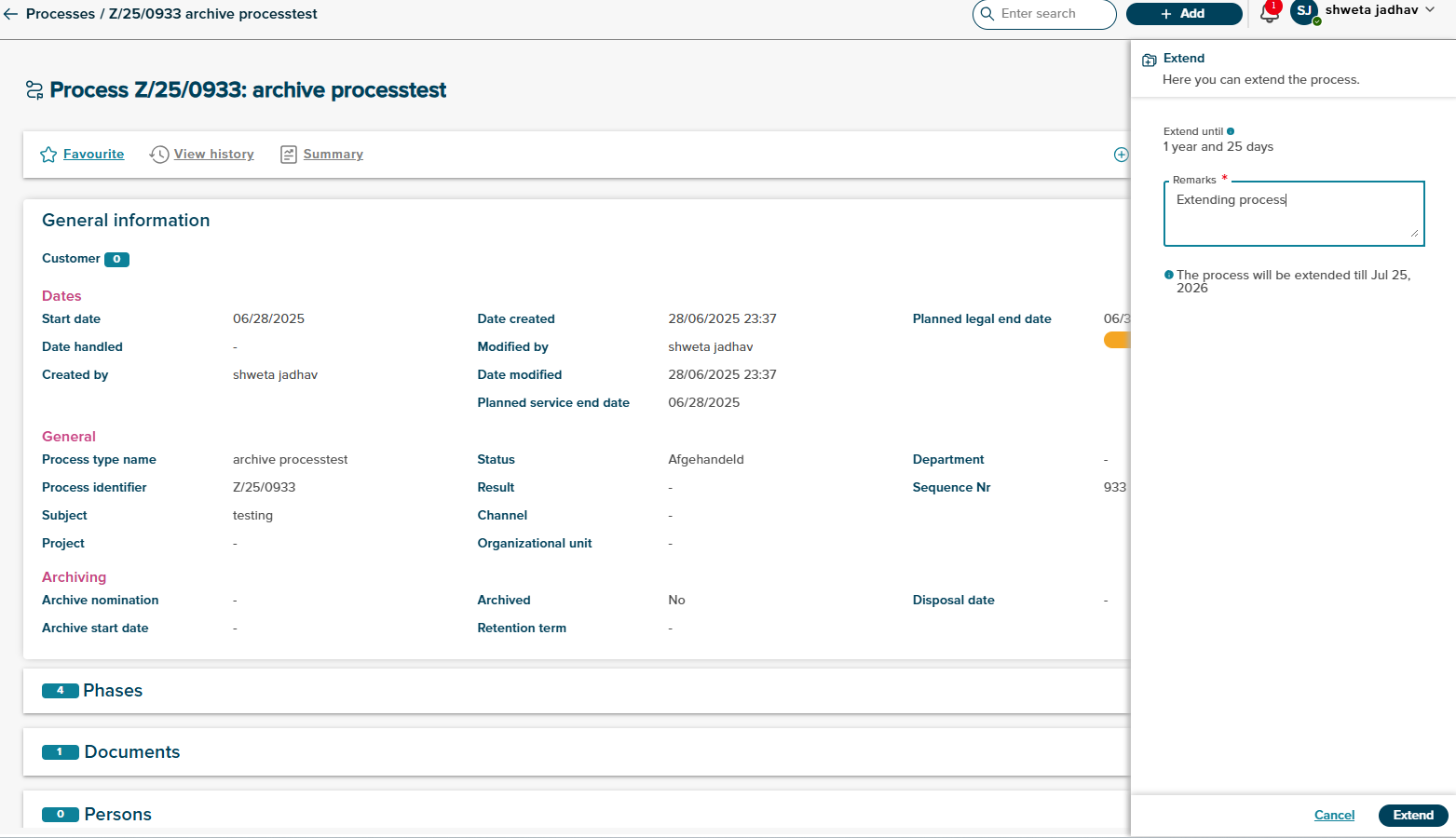
Extend Until- This field is read only and predetermined.
Remarks- User can enter remark in remarks field
User can see the message on side panel for till what time process will extend.
After clicking on Extend option,successful toast message will displayed on process .
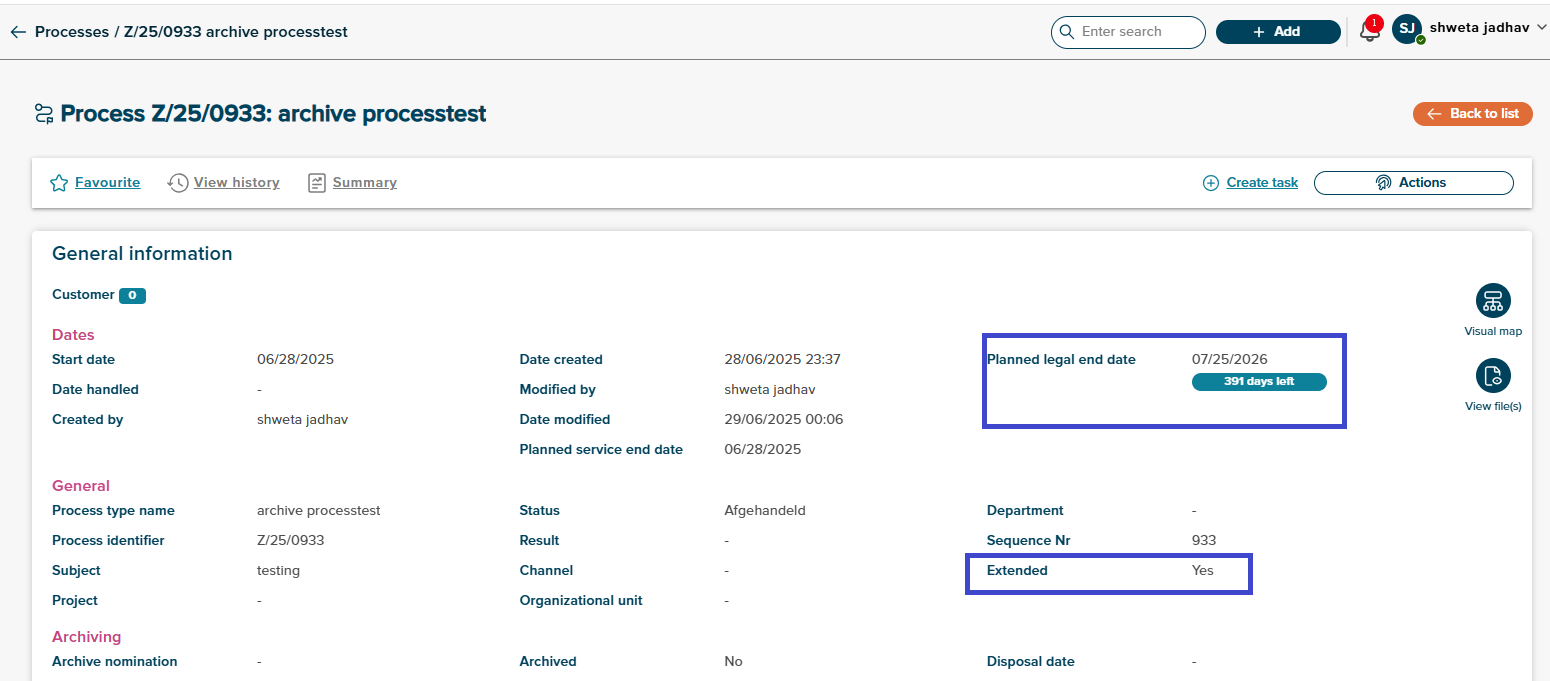
After process extension ,planned legel end date will change as per extension term. User can see extension property set to yes once process is extended.