¶ Organization Creation
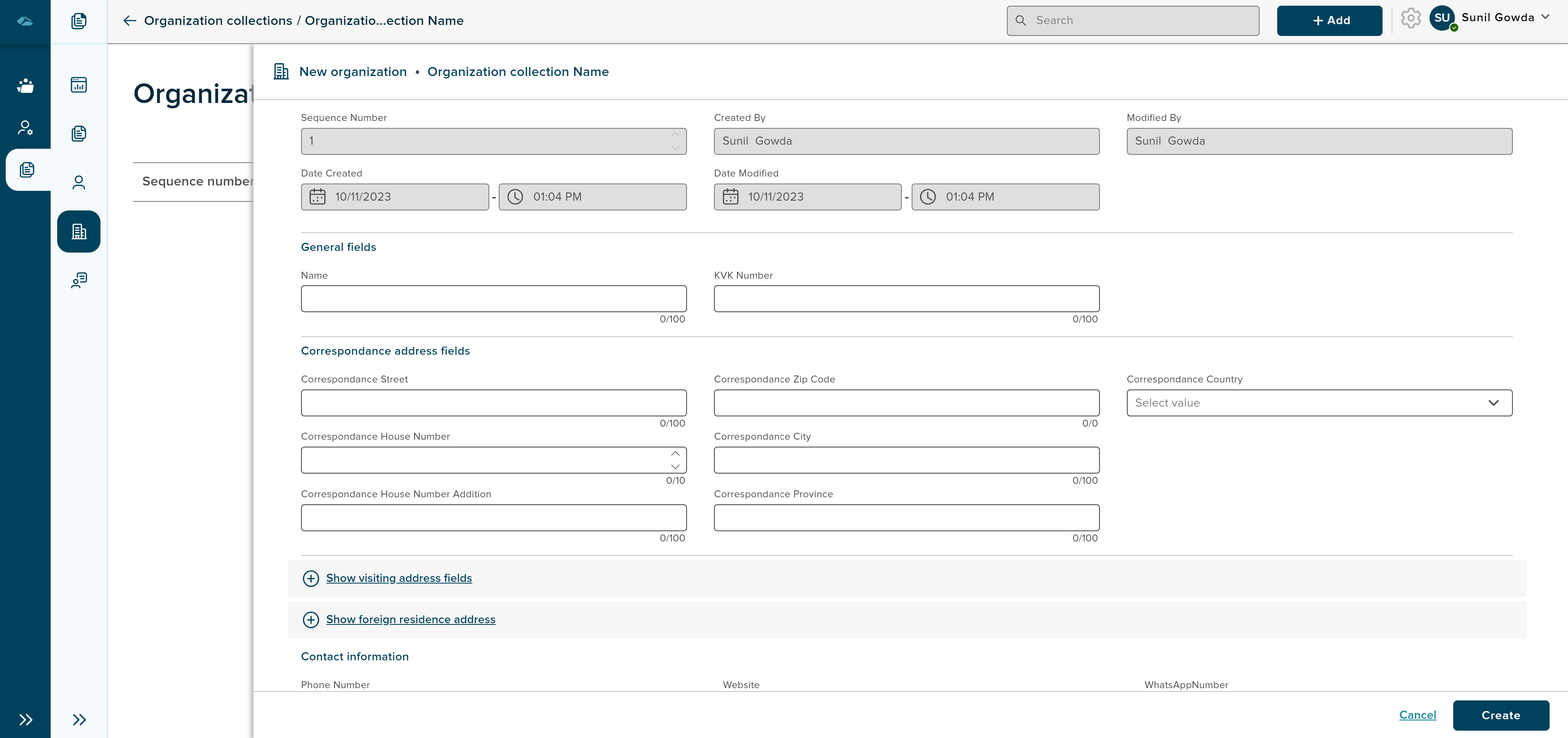
After clicking Add new organization side panel will be displayed with organization creation form. User has input field to fill in deatils, option to attach the files.
Column labels are displayed based on the configuration done at the admin side of the collection.
¶ Creation of organization
- User can fill the input fields of different parameters and click on Create button. Creation form of organization can be see in the below image. clicking on Cancel button will close the sidepanel and will cancel process of creation.
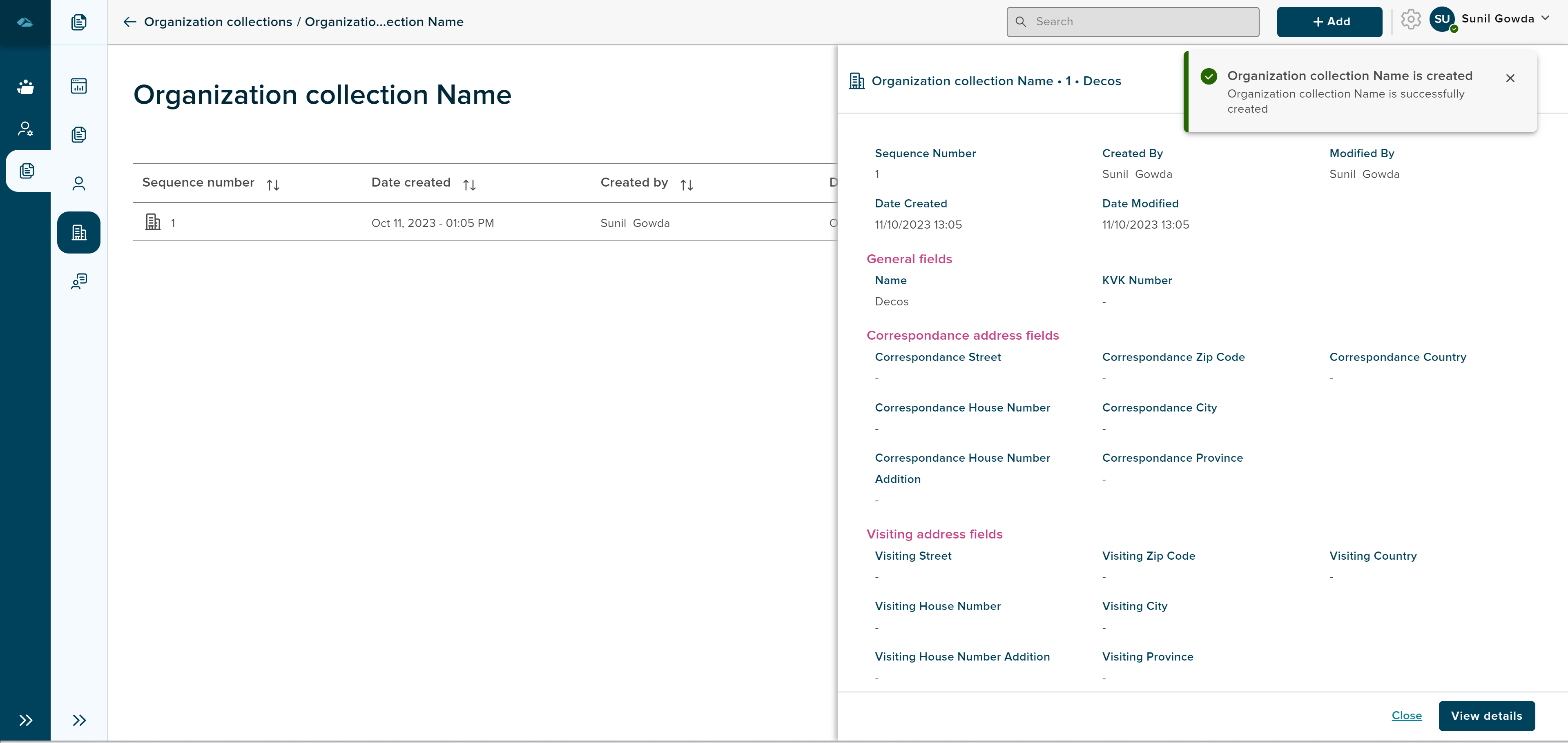
- After clicking on Create button, user will displayed with details page of created organization in the side panel and will have View Details and Cancel button.
User can drag and drop file of different format in the grid. Once user drops the file on the screen, a side panel is opened and displays all the existing organization either user can choose existing organization or create new organization by clicking on the create New button. followed by creation of document to which file will be attached.
¶ Edit organization
In order to edit the organization which is already created, user can click on the organization in the grid or can also navigate from Details and Edit Metadata options in kebab menu. Kebab menu options can be seen in the below image.
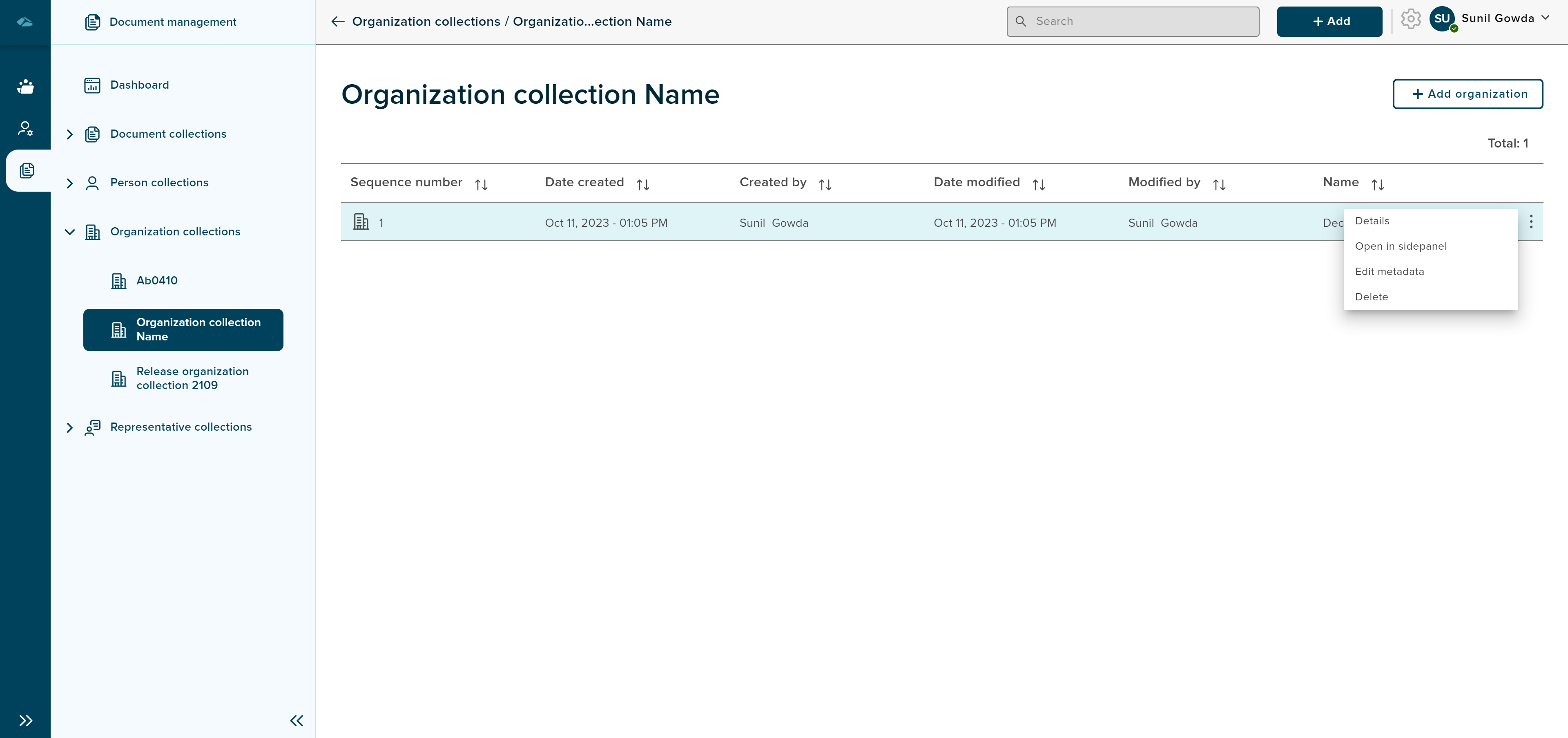
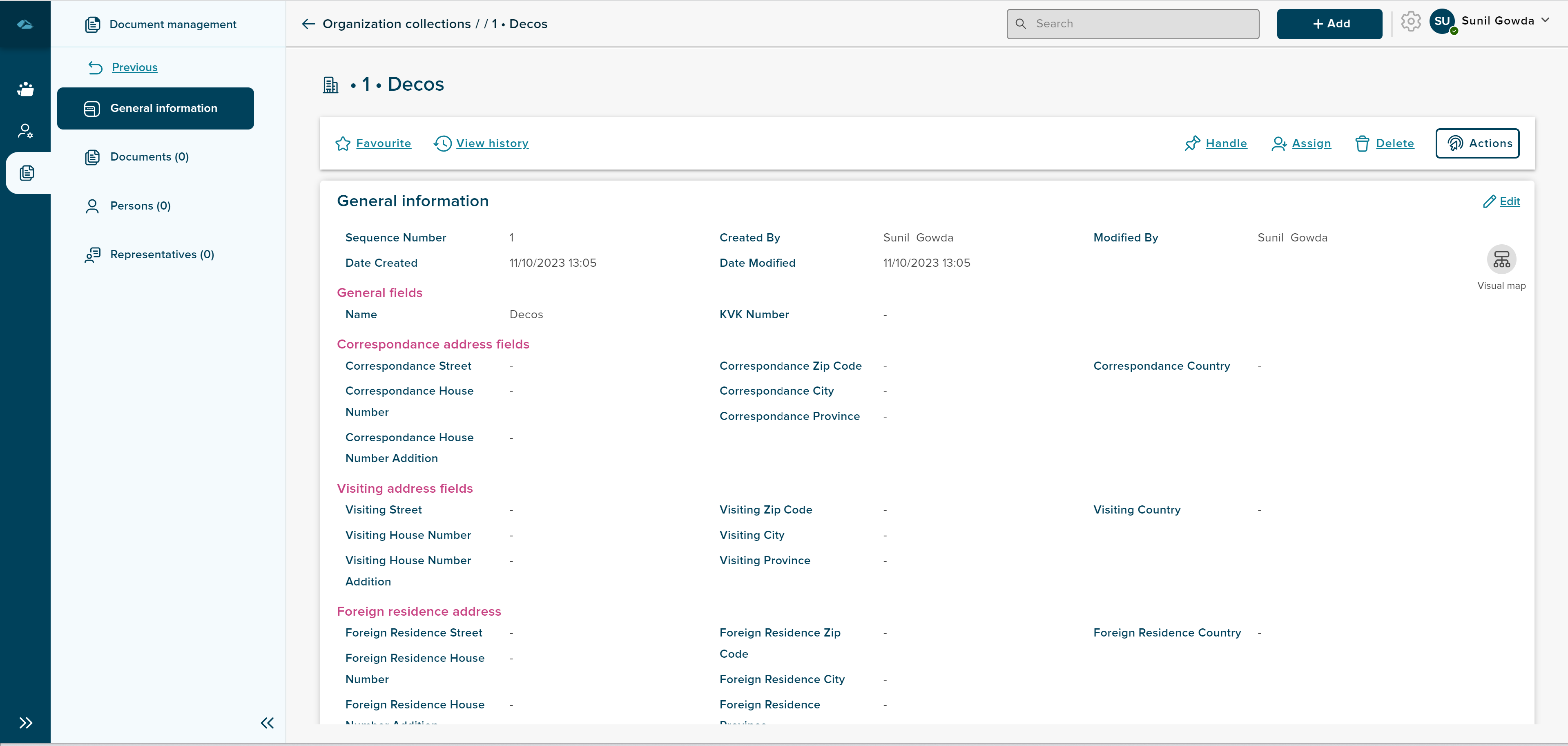
After clicking on Details option, user will be landed in the details page in read only mode.
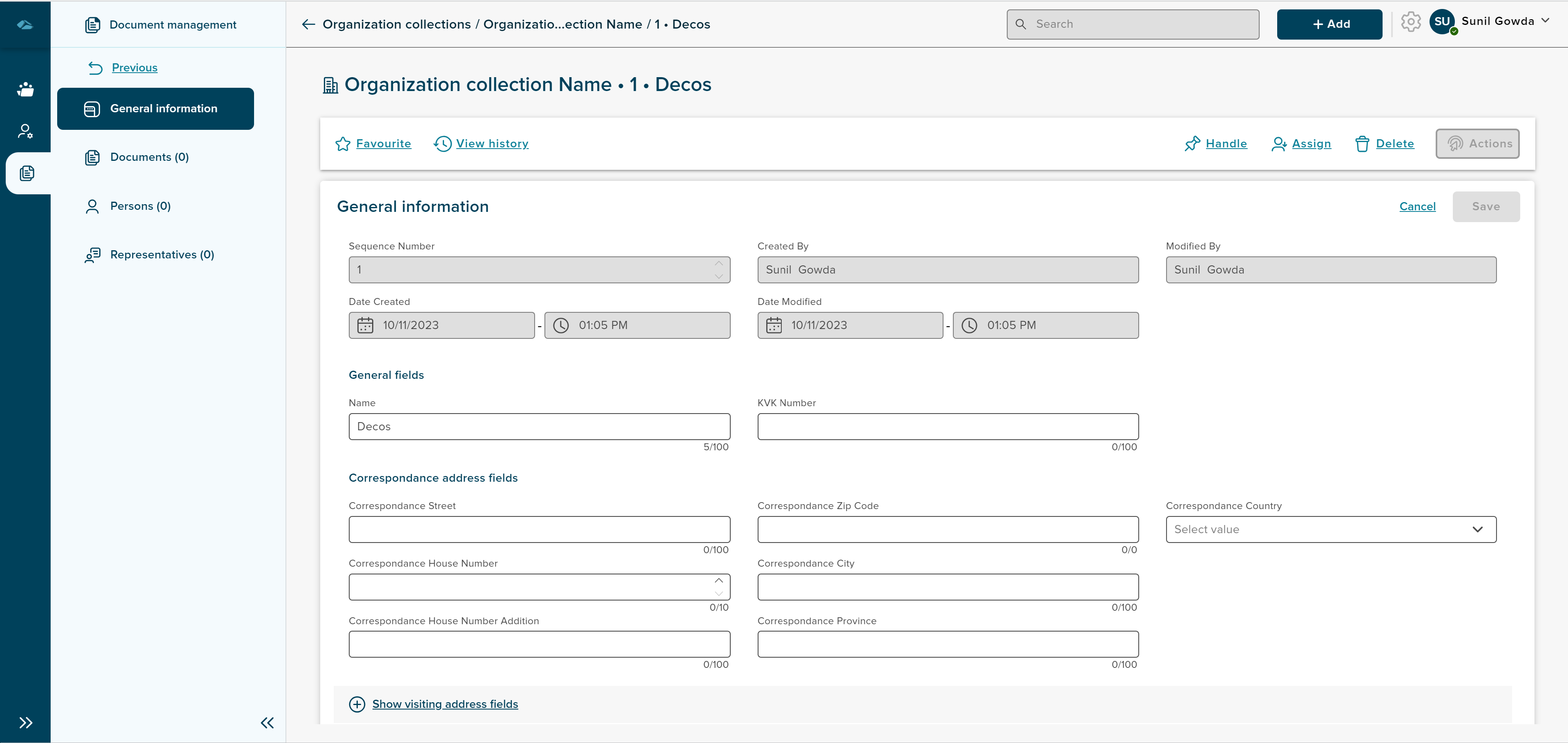
After clicking on Edit Metadata option, user will be landed in the details page in edit mode, where metadata block will be editable.
¶ Adding Documents
Files can be added to person by clicking on Add Document in the details page of organization.
¶ Adding Persons and Representatives
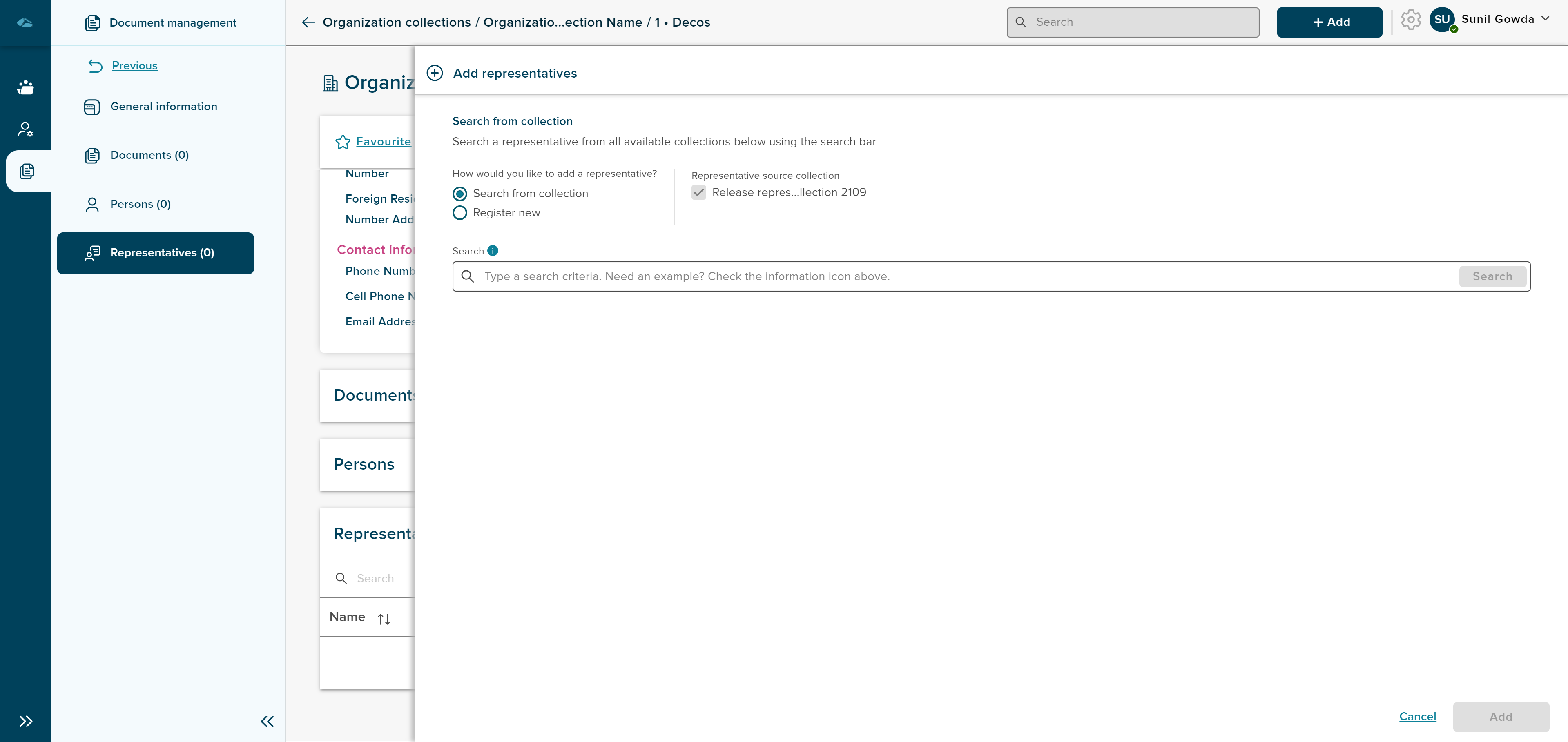
Person and Representatives can be added to organization by clicking on Add Person and Add Representatives in the details page of person.
¶ Visual Browser
When users are in Details page, user can view visual browser icon in the General information section. user can click on the icon and see the detailed visuals in the section.
Detail process of viewing Visual browser can be seen in the below link.
¶ Delete organization
Organization can be deleted from the grid view, by clicking on the Delete option from kebeb menu.
organization can also be deleted from the details page of the organization, Delete button is available in the top row of the details page.
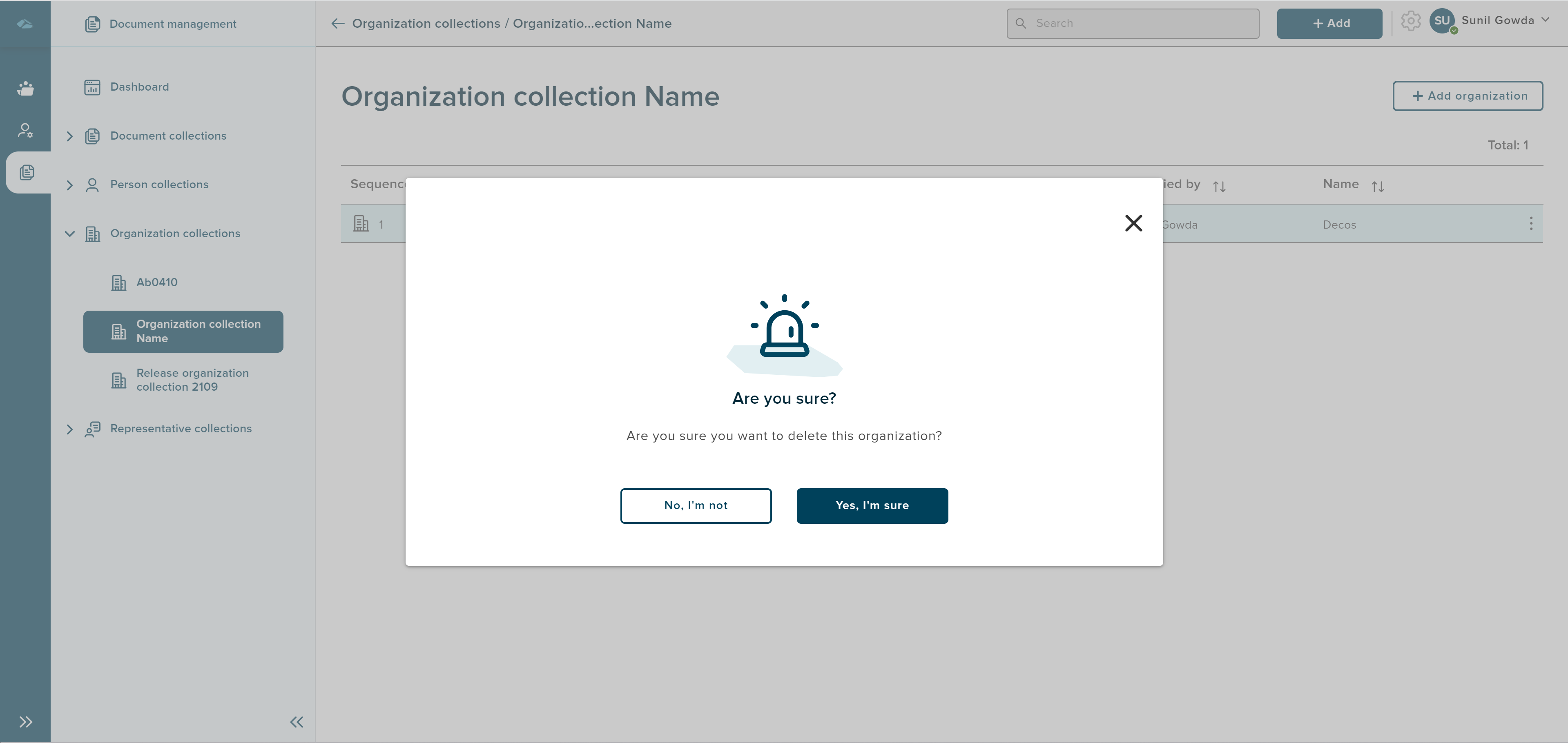
On Clicking of the Delete, user will be prompted with pop-up, with two options: 'No, I’m not", and “Yes, I’m sure”. On clicking 'No, I’m not" option the user will be taken back to organization overview page. On clicking “Yes, I’m sure” option, the organization will be deleted and the organization name is removed from the list on organization overview page.