¶ WOPI Integration with Join Collaboration
The Web Application Open Platform Interface Protocol (WOPI) defines a set of operations that enables a client to access and change files stored by a server. This allows the client to render files and provide file editing functionality for files stored by the server.
JOIN Collaboration is integrated with Office for the web to enable users to view and edit Excel, PowerPoint, and Word files directly in the browser.
Non WOPI supported files such as .doc, .ppt, .pdf and.txt will only be able to be viewed, these files canot be edited.
Here is a demonstration of how WOPI works in JOIN Collaboration
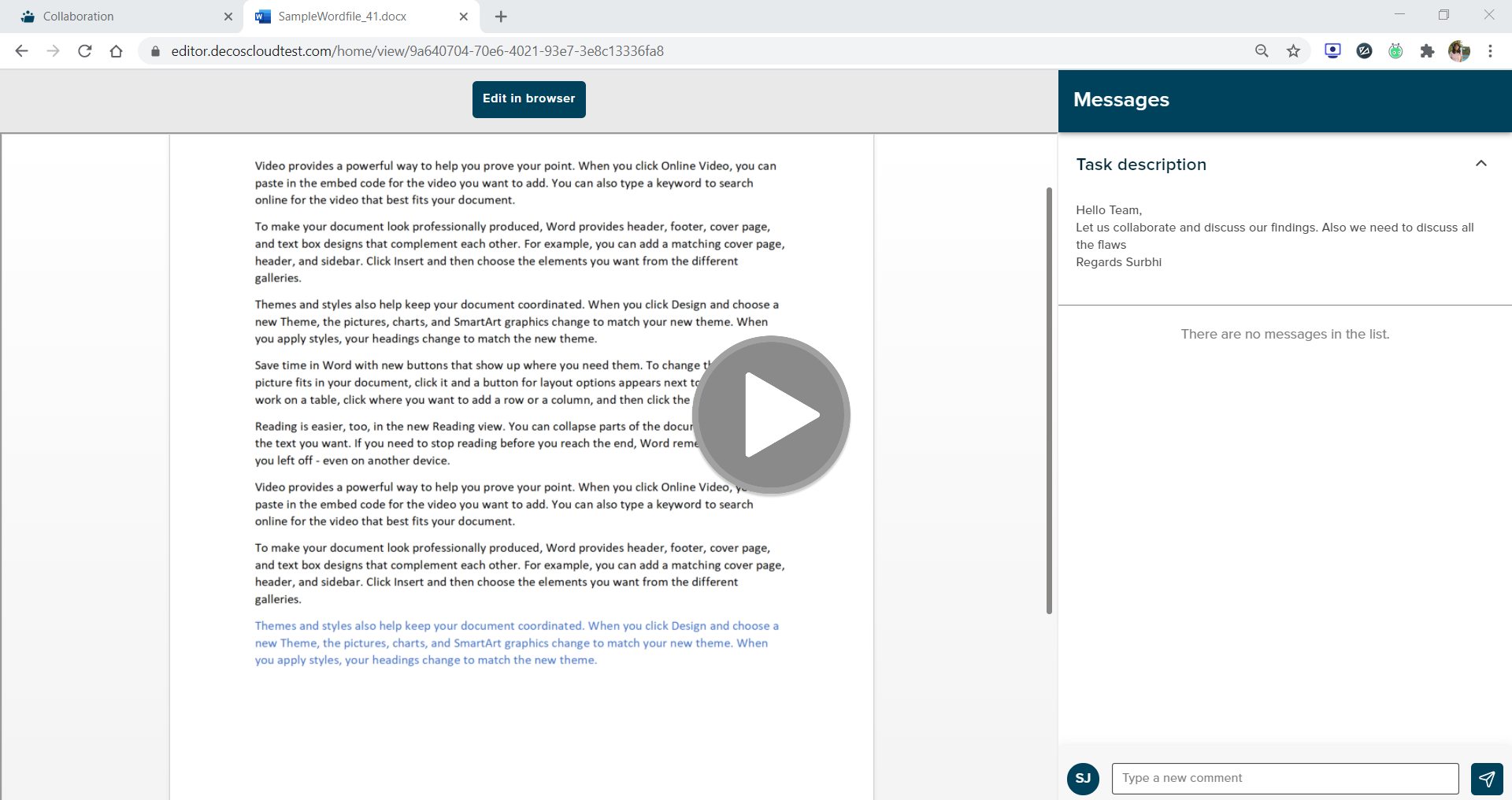
¶ Co-authoring using Office for the web
Co-authoring in Office for the web includes real-time content updates between all users editing the document, as well as presence information and real-time cursor tracking for each user.
¶ Multiple-user co-authoring
Office for the web supports multiple users editing a document at the same time. To check that co-authoring behaves as expected, you’ll need at least two different user accounts. The following steps can be followed then
- As User A, share a document with User B.
- Open the document in edit mode as User A.
- Open that same document in edit mode as User B.
- Check that both instances of the Office for the web application are participating in the co-authoring session.
- Make edits to the document as both users and ensure that both instances of the application remain connected to the co-authoring session.
- After making some edits, leave the session and verify that the saved file contains the edits made by both User A and User B.
¶ Single-user co-authoring
While the typical co-authoring scenario is two or more users collaborating on a single document in real-time, the feature also provides other benefits as outlined in Benefits from co-authoring support.
To check that single-user co-authoring behaves as expected:
- Open a document in edit mode.
- Open a document in edit mode using the same user account originally used, but in a different browser.
- Check that both instances of the Office for the web application are participating in the co-authoring session.
- Downloaded files should have most recent document changes
¶ Download
A file downloaded using the Office for the web Download contains the most recent edits. To verify this functionality the below steps can be followed
- Open a document in edit mode.
- Make an edit to the document and wait for the Saved to text to display.
- Click the File ‣ Save As ‣ Download a Copy button.
- Check that the downloaded file has the most recent edits you made to the document.