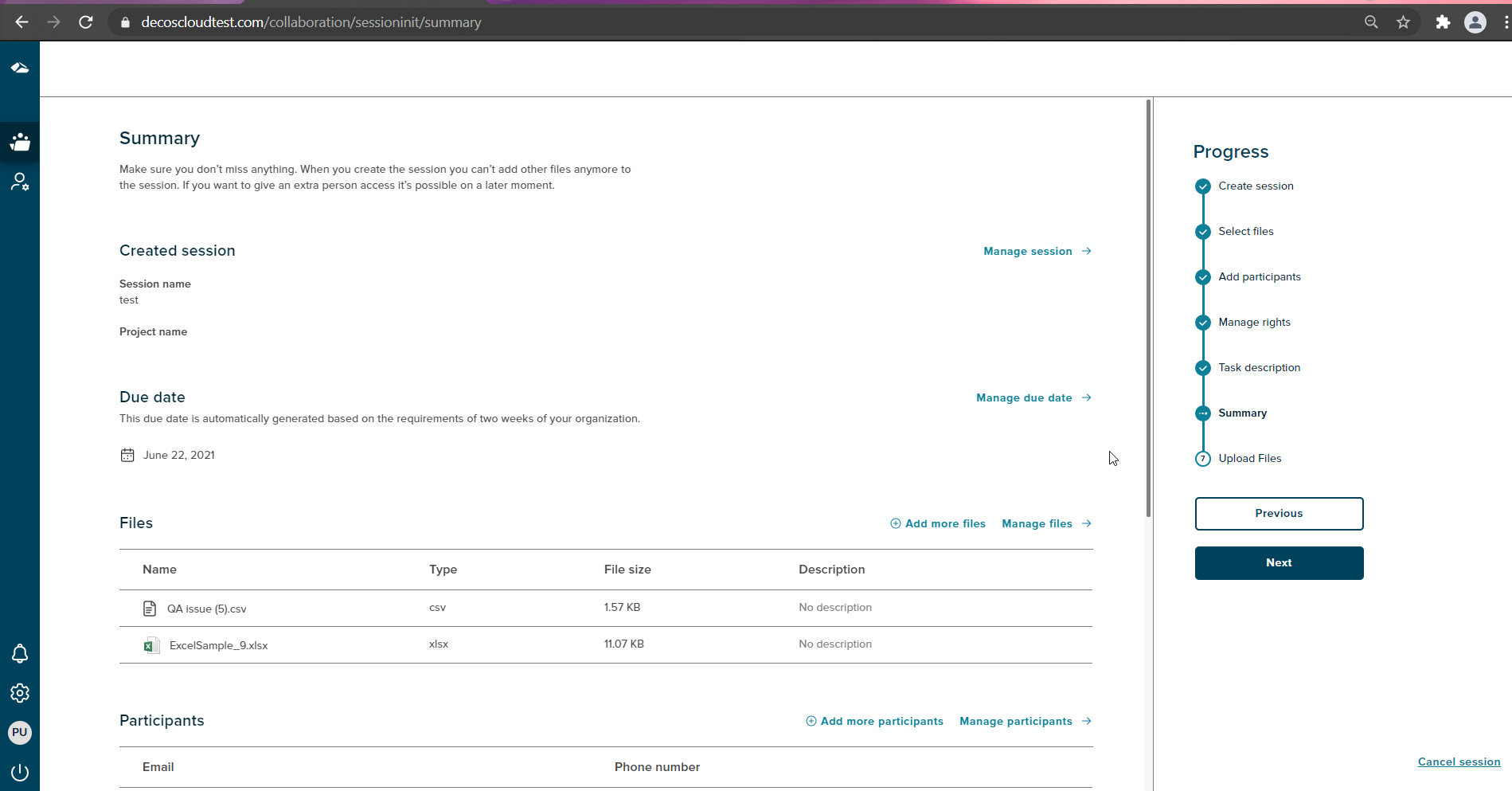
¶ Let’s Summarize
This page shows a summary of the steps we have added so far.
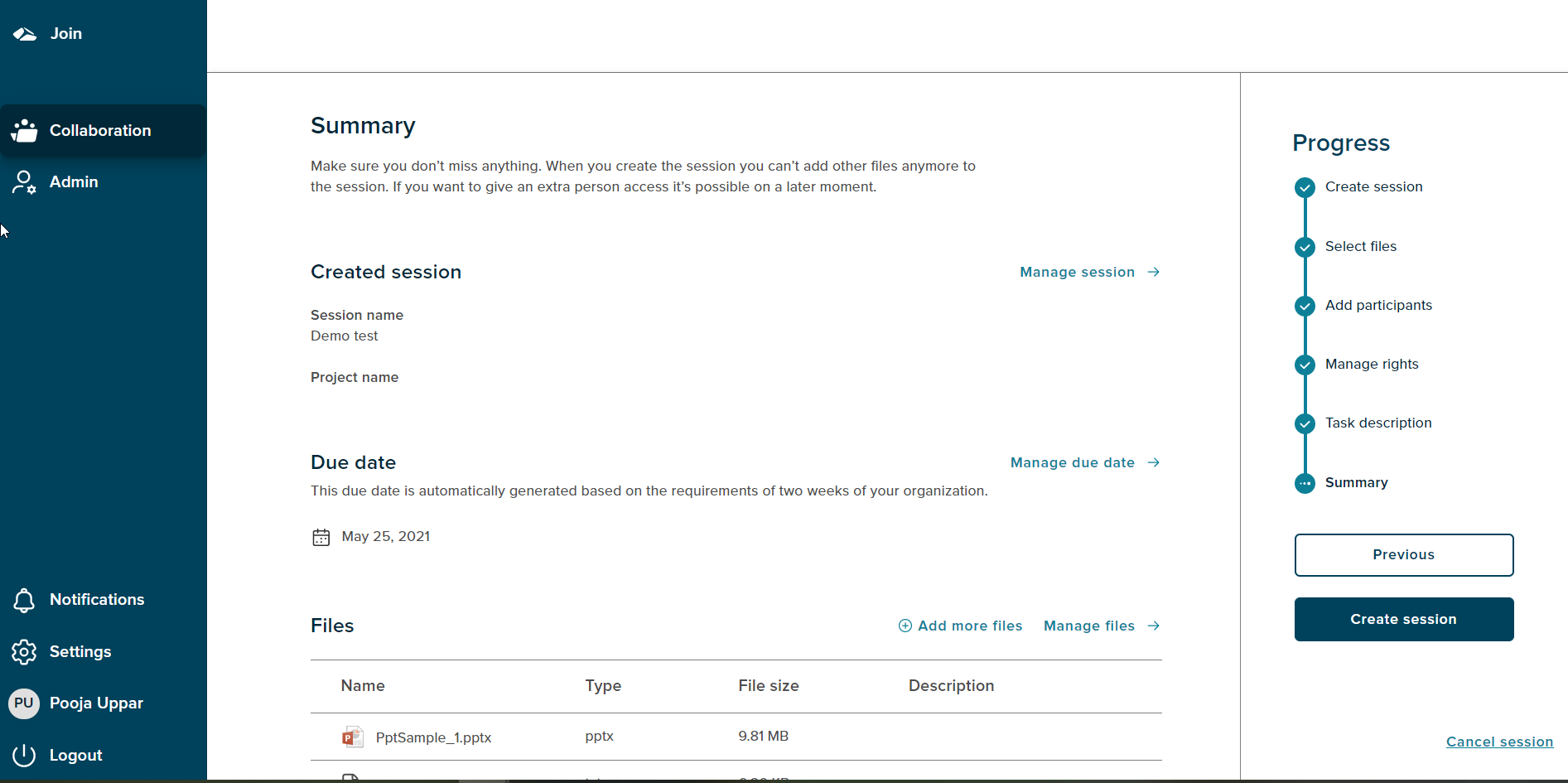
The session initiator can edit or add data on every step. The Progress bar section shows ‘Summary’ as the current state. The ‘Create session’ button is enabled. User can navigate to all the previous steps by clicking on the ‘Previous’ button.
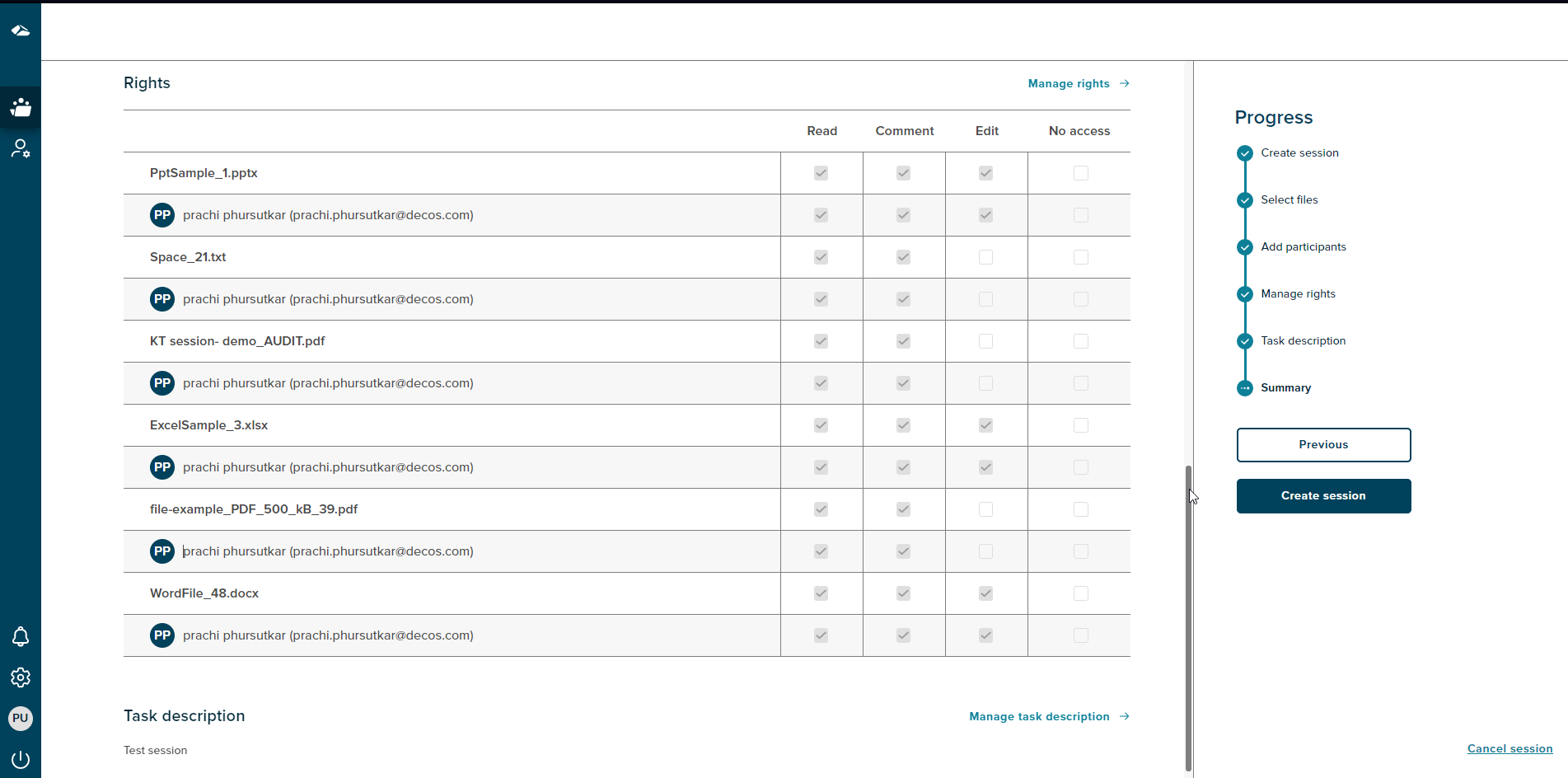
For every page in the session initiation workflow, there is either an add or Edit option. They are Manage Session, Manage Files, Add more files, Add more participants, Manage participants, Manage rights and Manage Due date.
Due Date section is also shown on the summary page. By default due date is set to two weeks from the session creation date.
¶ Summarize with the Case-Collection
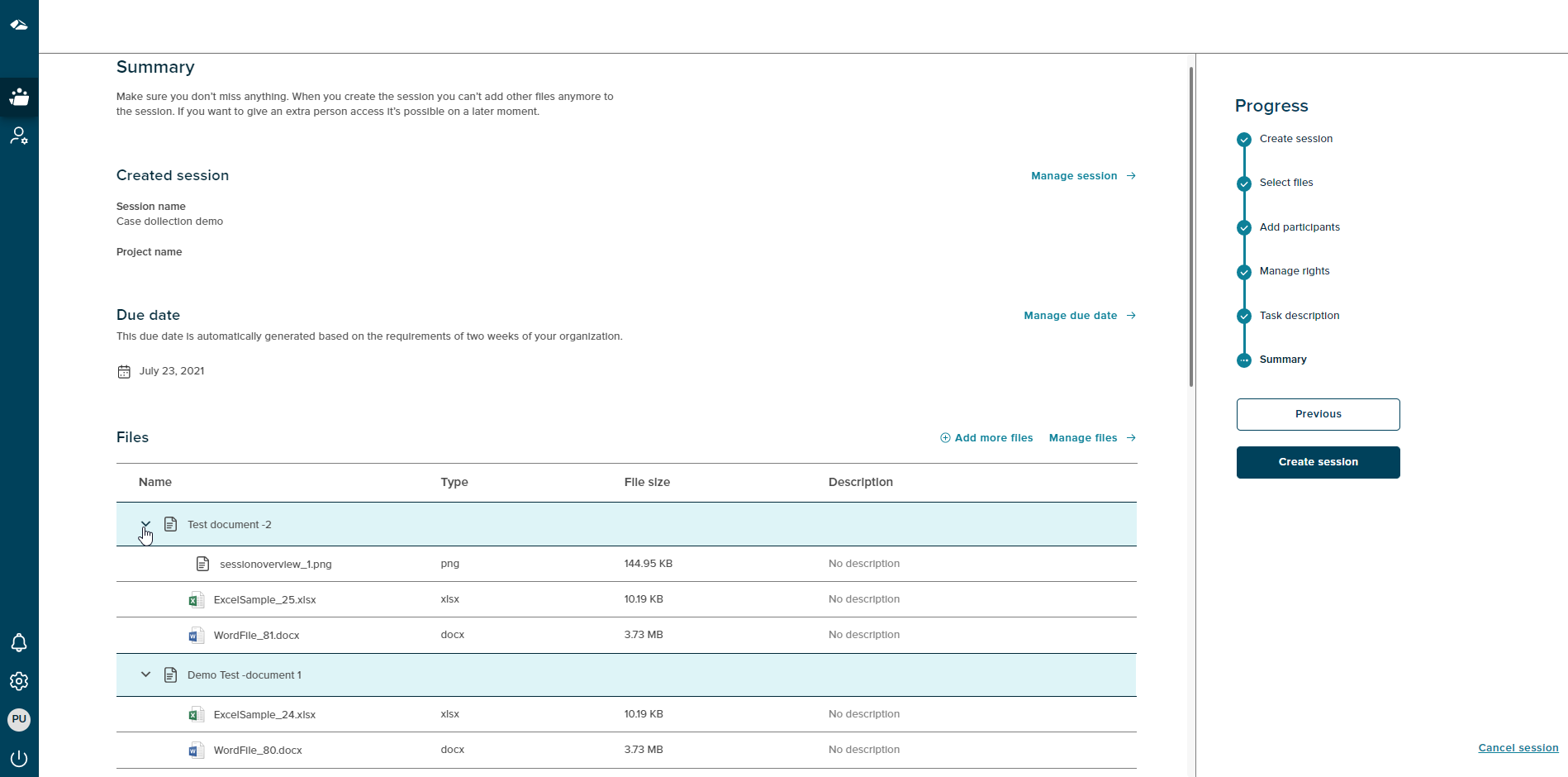
The files section contains the Documents and the files under the respective documents. The files can be collapsed and expanded using the arrow beside the Document as shown below.
¶ Summary for the Collaboration-Web
This page displays the details of the session created, the user may edit the data on this page. With on click of the Next button, the user will be directed to the last step of Uploading files for session creation.