¶ Sessions created by you
This section basically contains all the sessions created by the logged in user. The menu item ‘Sessions created by you’ remains highlighted when a user clicks on it.
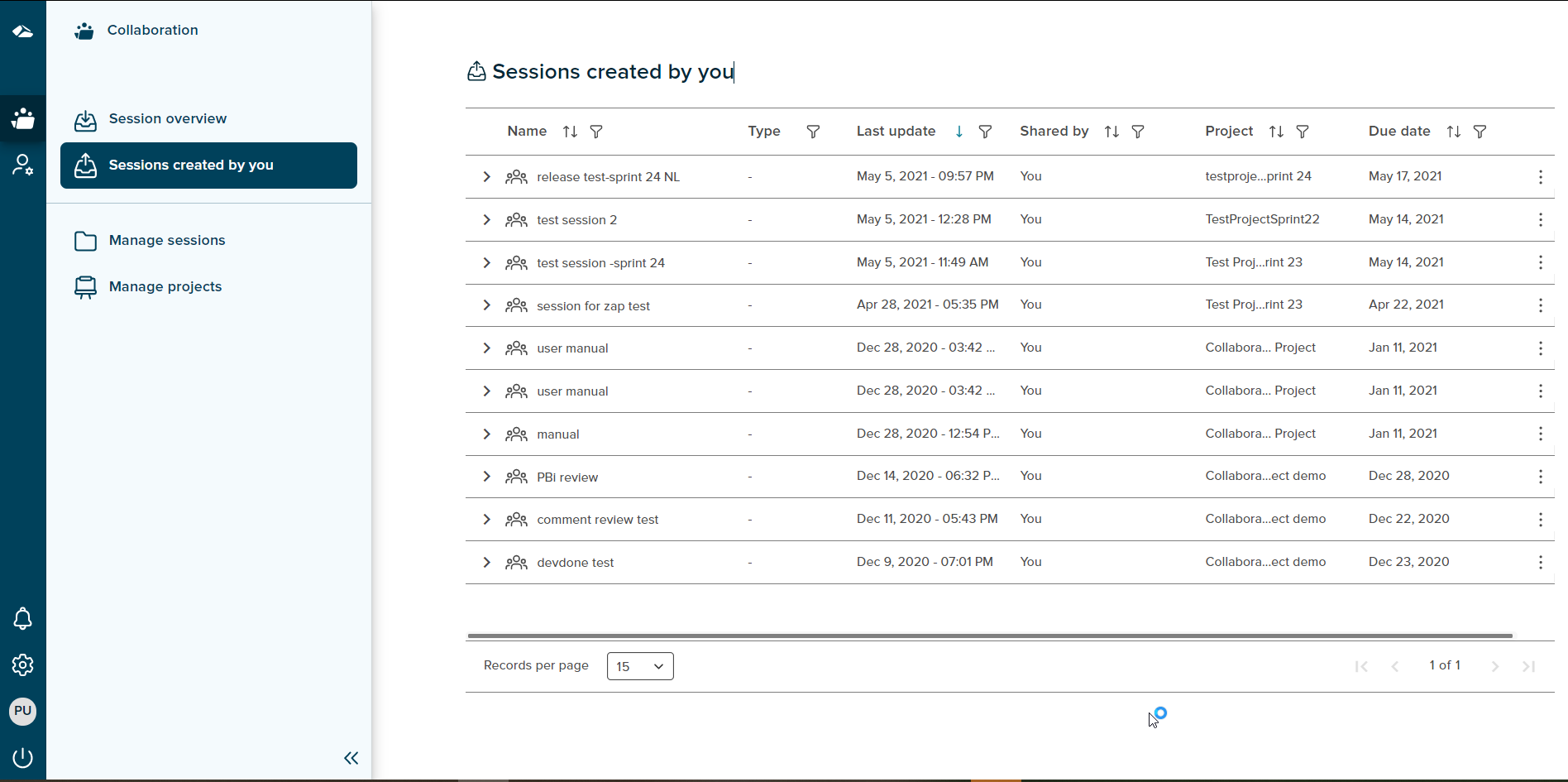
The session list comprises of session name, type, last update date, shared by, project name and due date fields for sessions.
-
Session name
This is the session name given by user during session creation. -
Type
By default nothing is displayed here but on clicking the expand icon besides session name, all the files in the session are visible along with the file type. -
Last update date
This date shows the date and time of creation when the session was created. Ideally, whenever a user will make any changes in the session, the timestamp for the last update will be displayed in this field. This functionality is not yet implemented. -
Shared by
Shared by column displays the session initiator name. -
Project name
The project name selected by user during session creation is displayed in this field. -
Due date
The due date selected by session initiator during session creation is displayed in this field.
Features on this page includes:
Filters
Every column in the table has a filter icon next to it. On click of an icon, filter popup shows up and displays all the items present in the list. The popup includes Select All option, Ascending, Descending and search field box. User can search for the required content by typing it in search box. User can select one or more items by selecting the checkbox. Once selected, click on ‘Apply’ button to apply the changes. Click on ‘Cancel’ button will discard the changes.
Filter option in Name and Type column
On click of the expand icon next to the session name, file names present in the session are displayed in the filter list. User can then filter the list by selecting the desired items. The file type (.ppt,.pdf) will be displayed in the type field.
Sort
A Sort icon is present against every field which allows a user to sort and display the data in either ascending or descending or in a default order.
Pagination
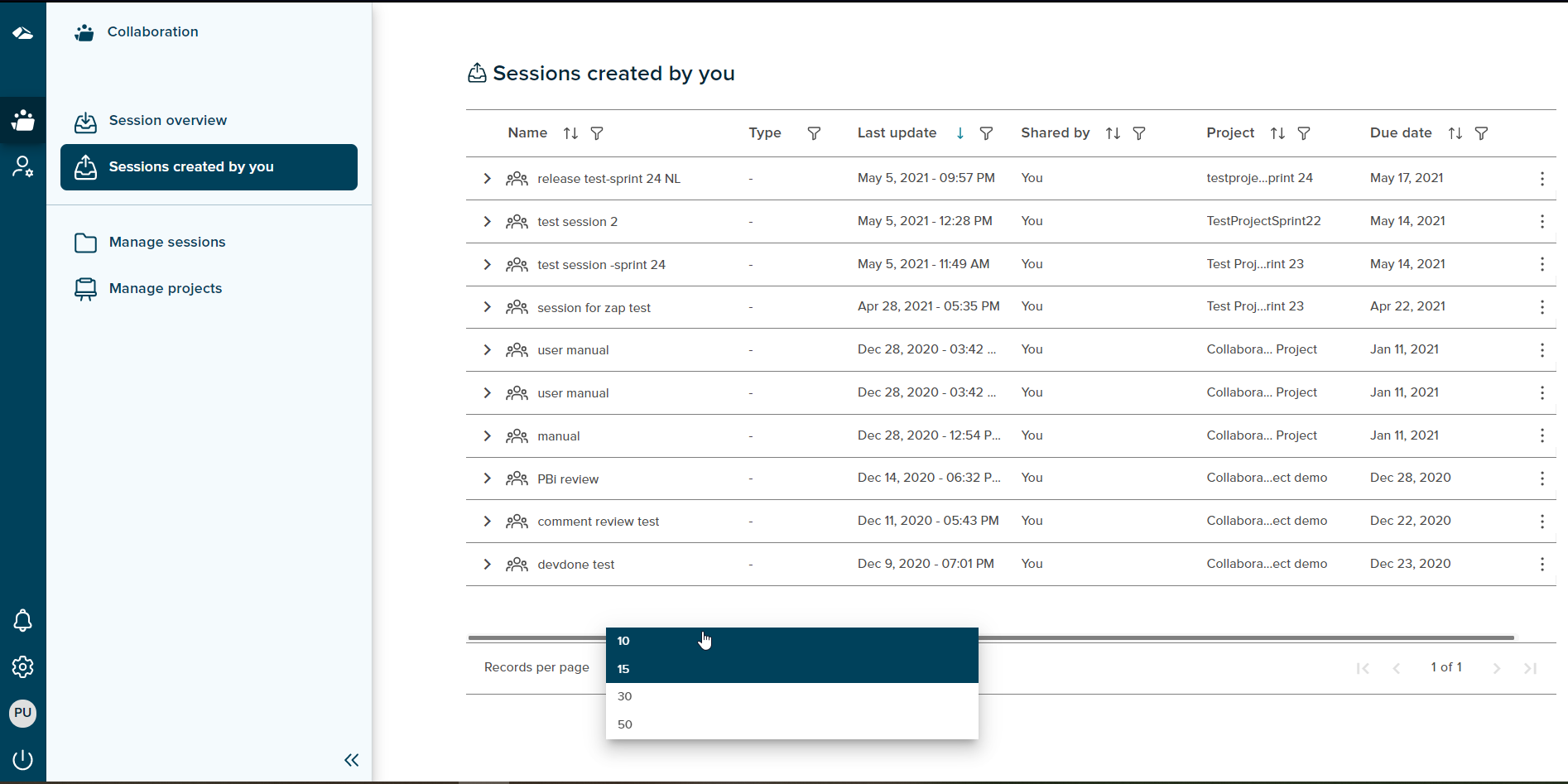
User can control the number of items displayed per page using ‘Records per page’ button present at the bottom of the page. It contains various options i.e 10,15,30,50. These value depicts the number of items to be displayed per page. If the number of items per page exceeds the limit the feature of ‘Next’ and ‘previous’ page is enabled at the bottom right corner and the user can navigate back and forth between the pages.