¶ Manage task description
The Session initiator can edit the personal message written earlier for all the participants.
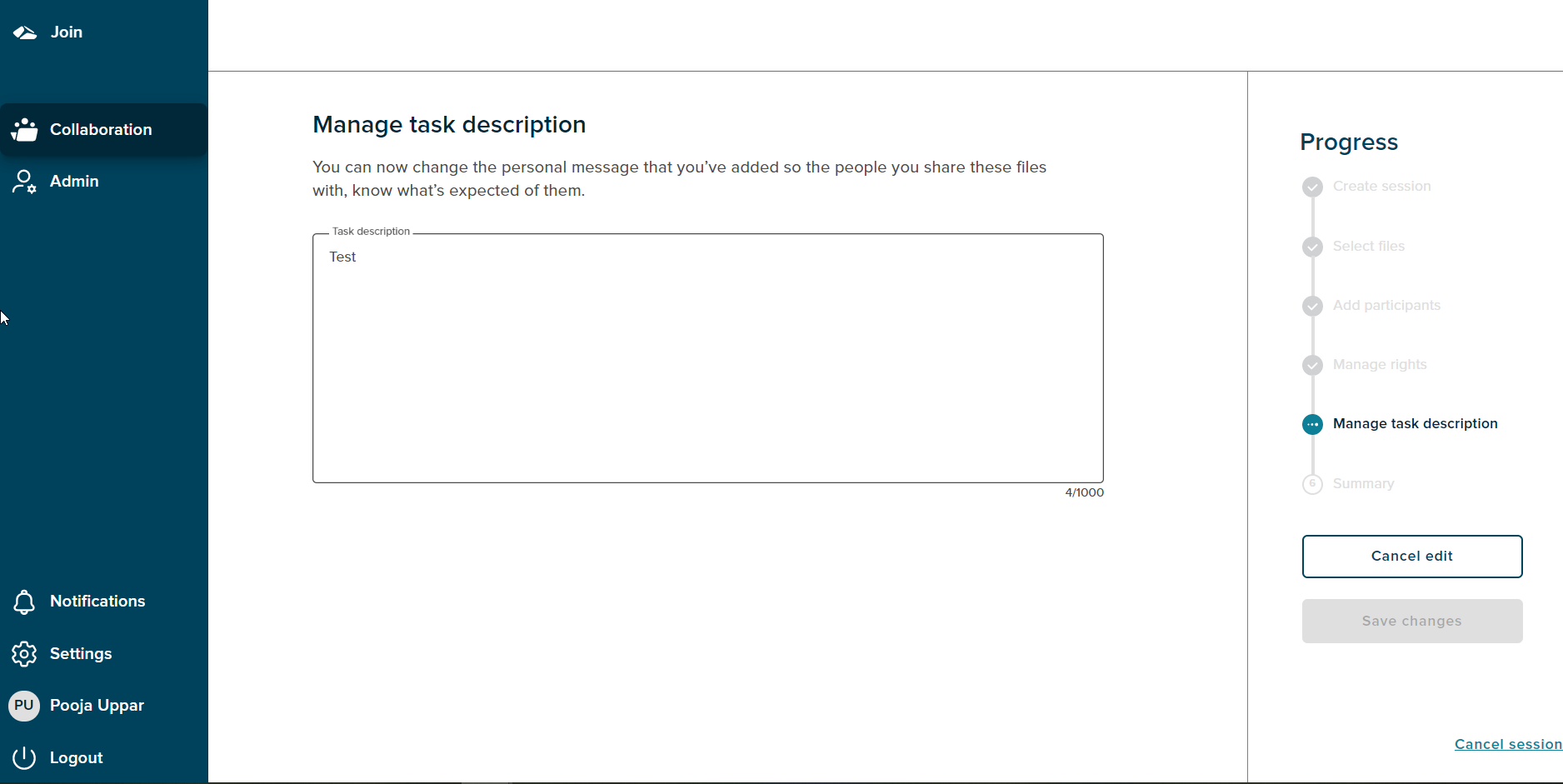
The Progress Bar shows ‘manage task description’ as the current stage. The ‘Save Changed’ button is disabled until a message is edited.
Message should be upto 1000 characters long.If the message exceeds beyond 1000 characters a validation message is shown.
The ‘Cancel edit’ option is always enabled and on click of it the user will get navigated to the summary page.
¶ Cancel Session
If a user wants to cancel the session,then the progress chart section has a ‘Cancel session’ link at the bottom right corner. On click of the ‘Cancel session’ link a popup will be shown.
There are two options on cancel, On Click of the ‘No,I’m not’ button,the popup gets dismissed.The popup has a close button (X) as well, on click of close button the popup gets dismissed. If user clicks on the ‘Yes,I’m sure’ button the session is cancelled and user gets navigated to the collaboration dashboard.