¶ Who can access what?
The session initiator can give access to every participant on every selected file from select files page.
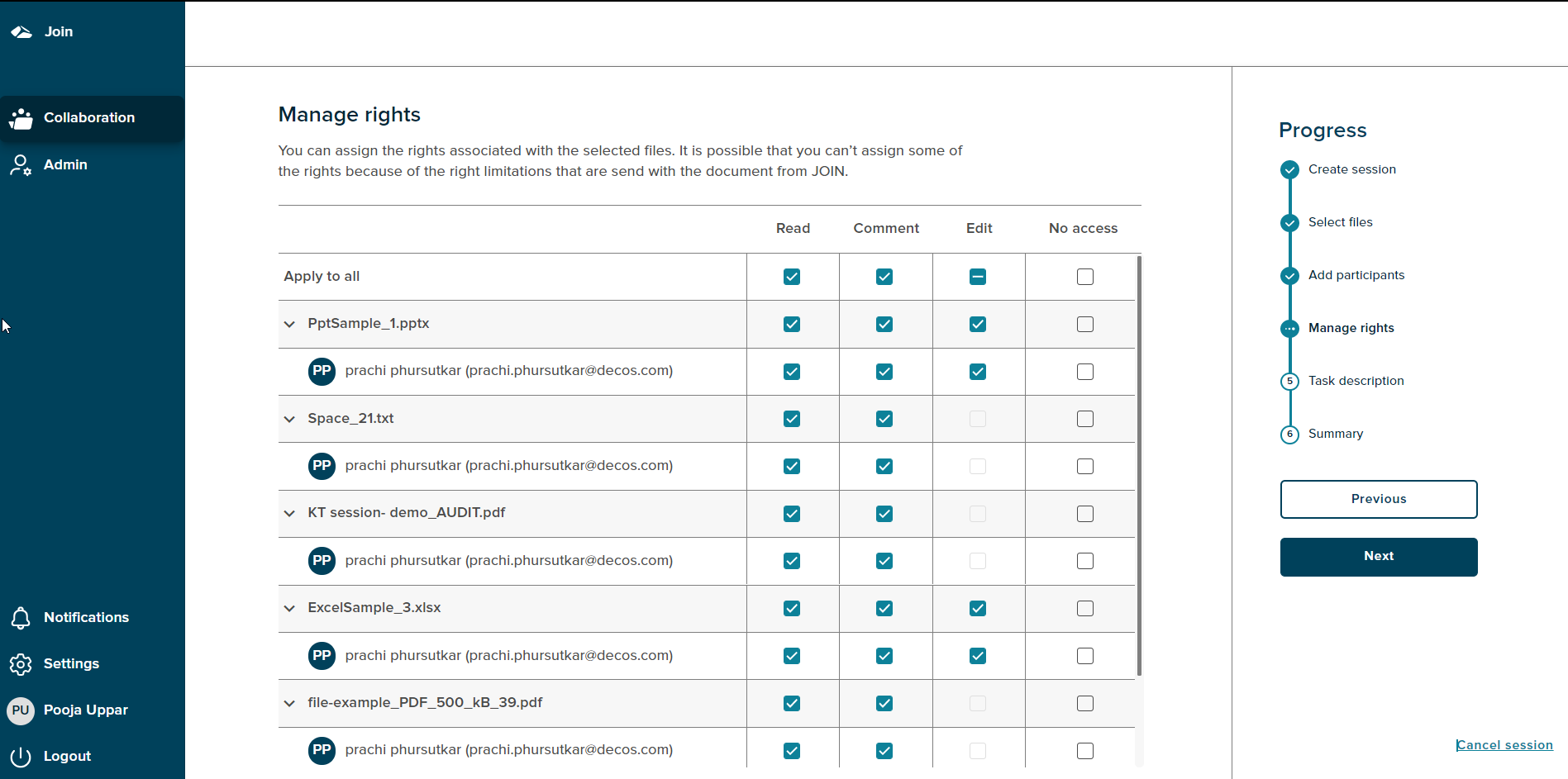
The manage rights page shows a grid of all the added participants and selected files. Every selected file has list of users added. The session initiator needs to allocate respective rights for every user on every file.
There are four rights Read, Comment, Edit and No Access. There are few conditions on which these rights are enabled.
- Read right is selected by default
- If a file is not a WOPI supported file, for e.g. .doc,.ppt,.pdf,.xls then only Read and Comment rights can be allocated to the user.
- If it is a pdf file then the Edit right will be disabled as PDF cannot be edited.
- If the Initiator does not have rights for ‘Write’ on the respective Document Book, then the Edit option will be disabled for all the files. So participants will also not have any Edit rights.
- No Access right is disabled when there is only a single participant and a single file.
- All users cannot have No Access right for the same file
- A participant cannot have No Acces right for all the files in the session
- A participant with no access on a file will not be able to see the file
¶ Manage rights with Case-Collection
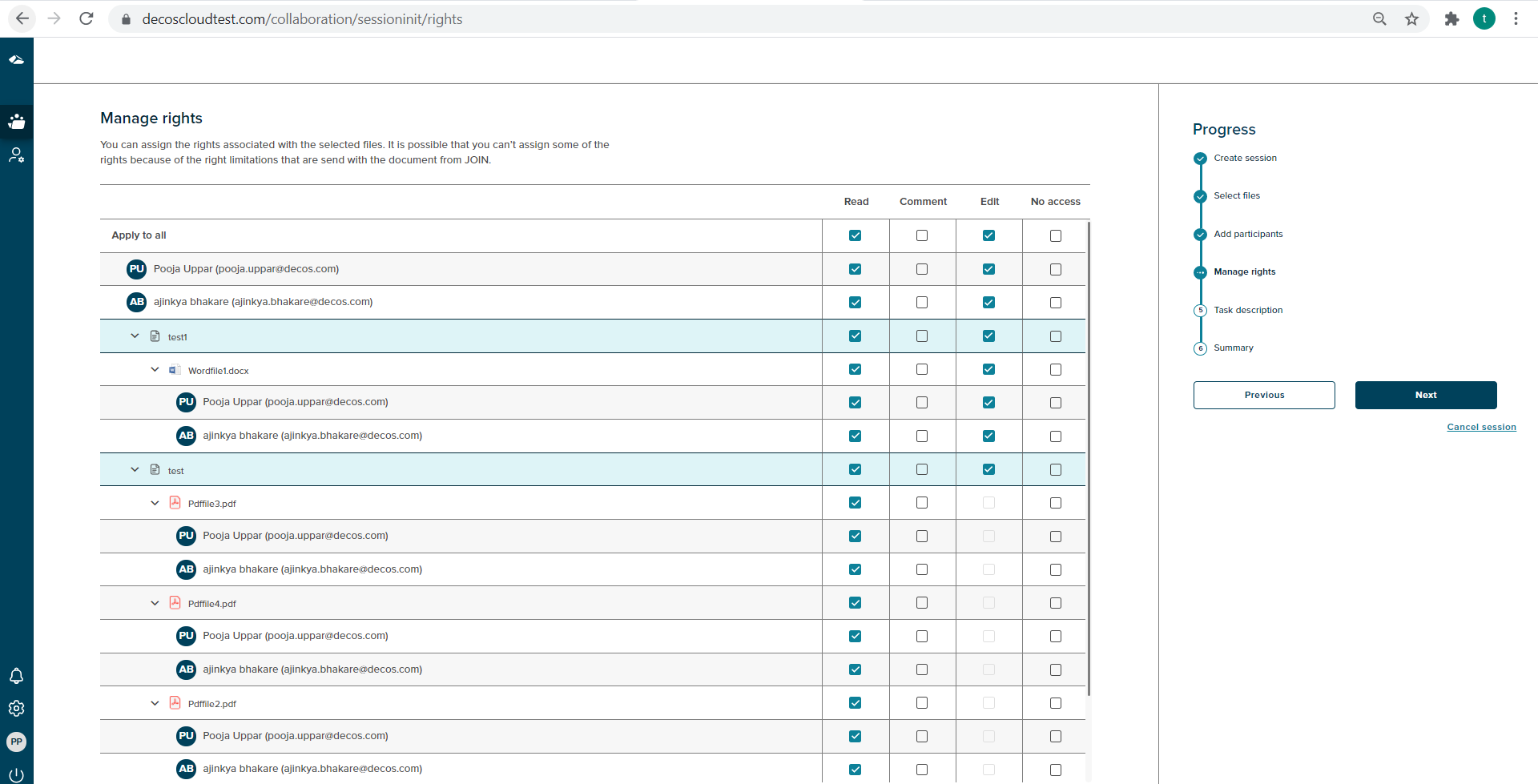
In the Case-collection version, the manage rights page shows a grid of all the participants, documents and files. Every selected document has a list of files added along with the selected participants. The session initiator can allocate rights at the document level or the user level.
¶ Manage rights with Collaboration Web
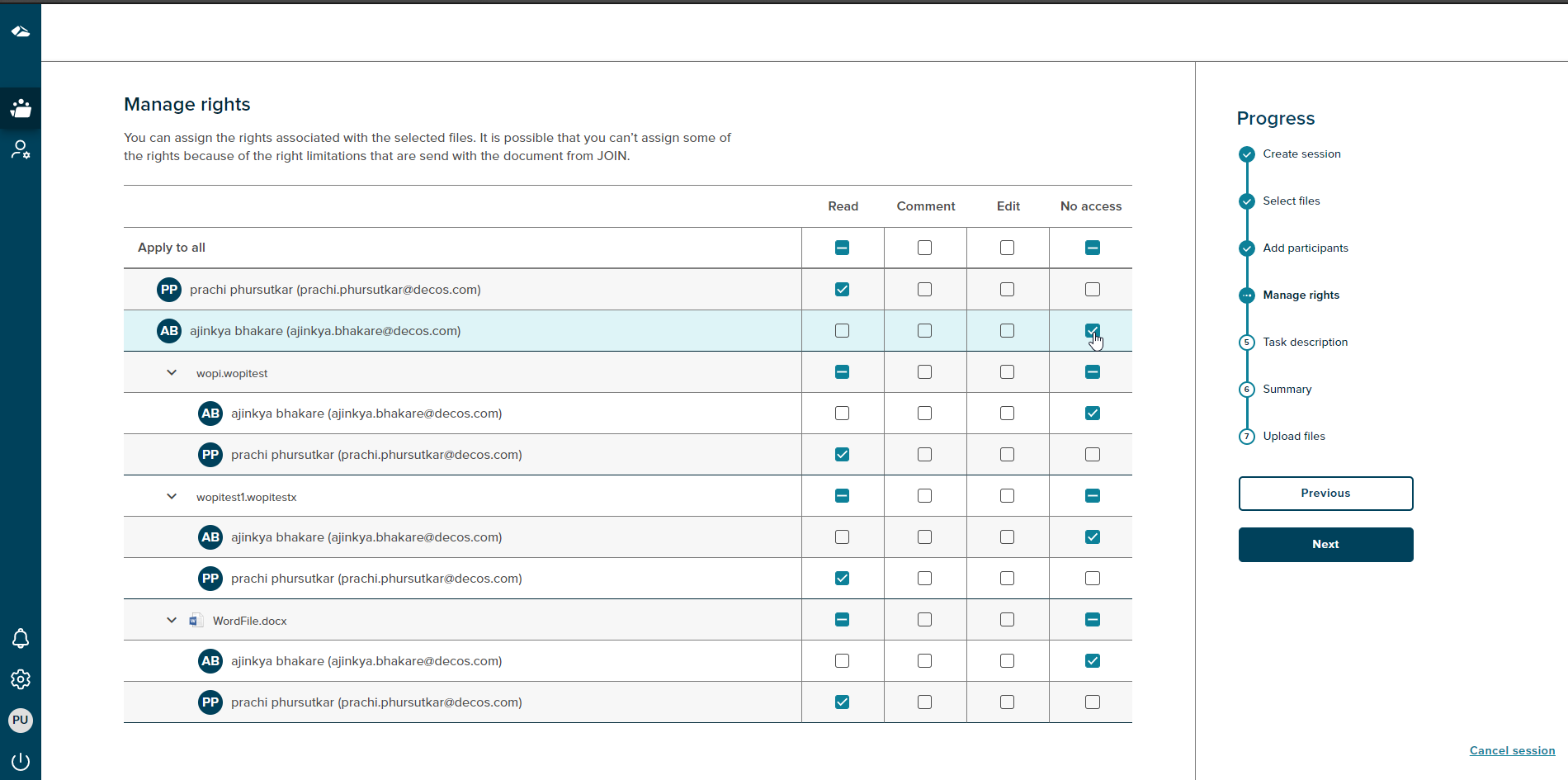
Once the files and the participants are added, this page allows assigning rights to every user and file. The progress tree highlights the ‘Manage rights’ step on this page as shown below. Assign the rights to every user and click on the Next button.
-
¶ Cancel Session
If a user wants to cancel the session, then the progress chart section has a ‘Cancel session’ link at the bottom right corner. With on click of the ‘Cancel session’ link a popup will be shown.
There are two options on cancel, with on Click of the ‘No, I’m not’ button,the popup gets dismissed. The popup has a close button (X) as well, on click of a close button the popup gets dismissed. If the user clicks on the ‘Yes, I’m sure’ button the session is canceled and the user gets navigated to the collaboration dashboard.