¶ Manage participants
On the manage participants page , user can see a list of users added to the session. The session initiator has the right to remove any of the existing participants.
The initiator can also edit a phone number or a country code of a new user.
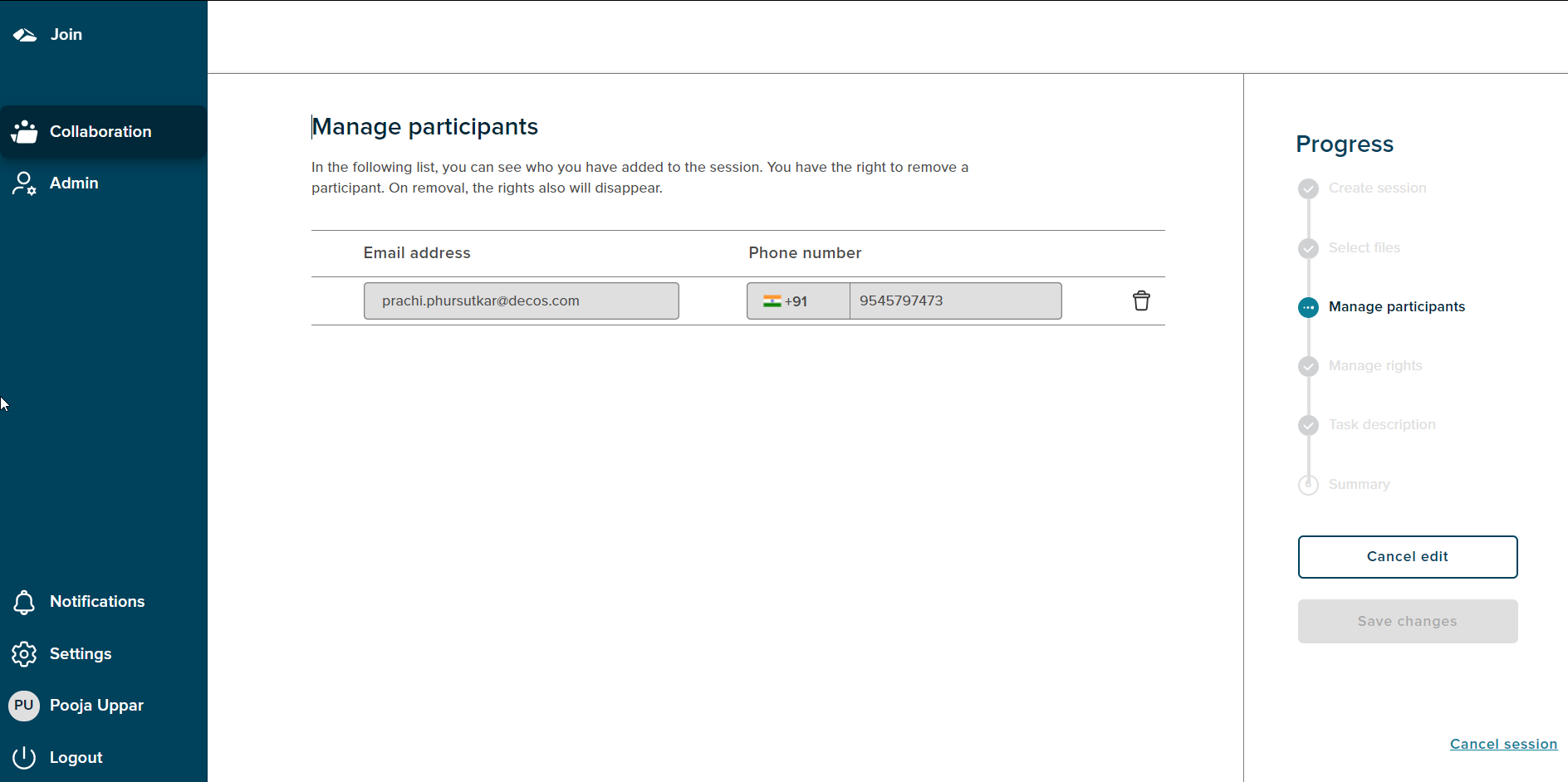
The Progress bar shows ‘Manage participants’ as the current state.
There is ‘cancel edit’ option which is enabled by default. On click of ‘cancel edit’ the user is navigated to the summary page.
The ‘Save changes’ button gets enabled when there are any changes done on the page.
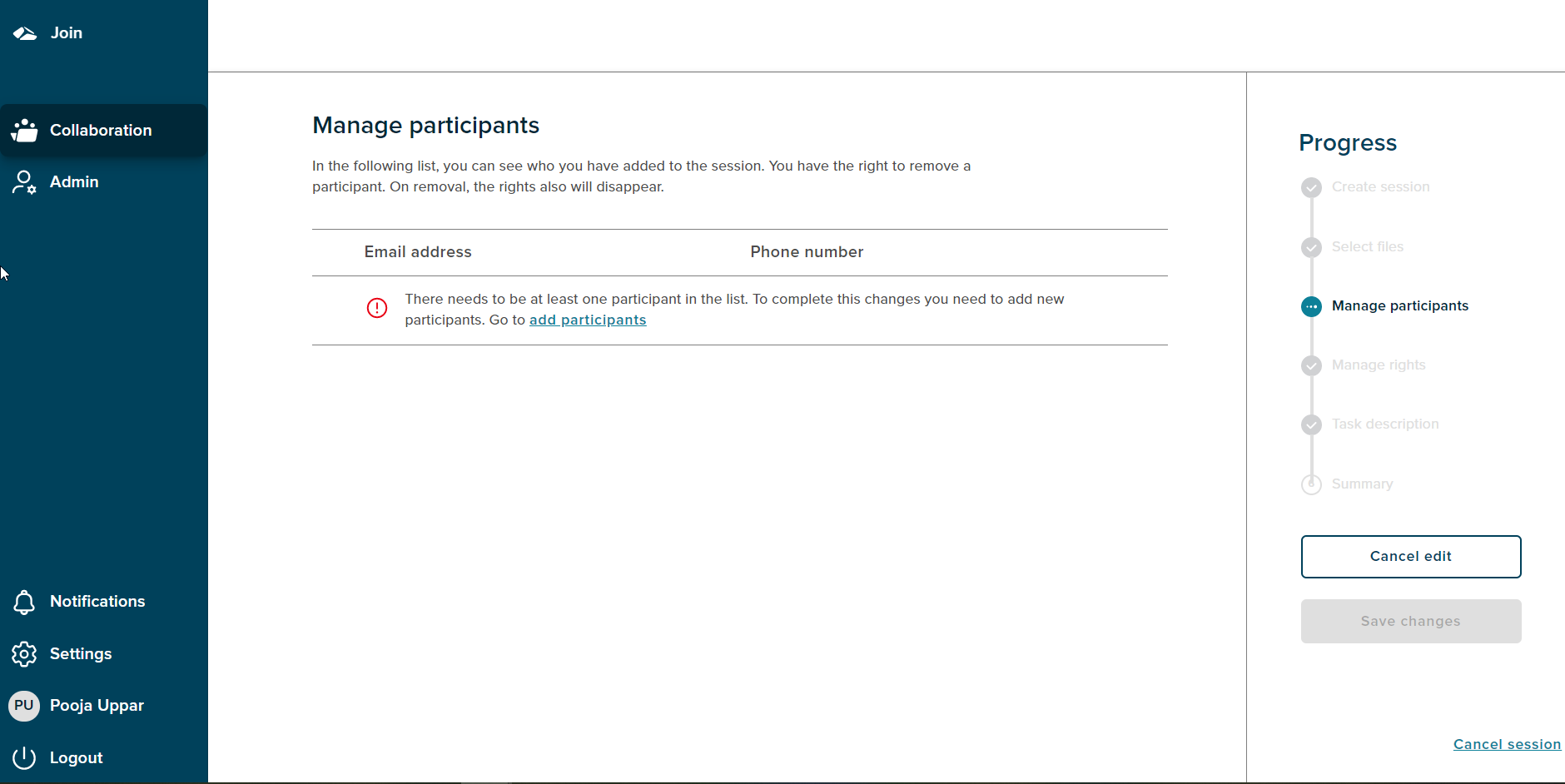
If an initiator deletes all the existing participants then, the initiator needs to add a participant in order to proceed to the next step.
On click of add participant link the add participant workflow is carried out.
¶ Cancel Session
If a user wants to cancel the session,then the progress chart section has a ‘Cancel session’ link at the bottom right corner. On click of the ‘Cancel session’ link a popup will be shown.
There are two options on cancel, On Click of the ‘No,I’m not’ button,the popup gets dismissed.The popup has a close button (X) as well, on click of close button the popup gets dismissed. If user clicks on the ‘Yes,I’m sure’ button the session is cancelled and user gets navigated to the collaboration dashboard.