¶ Manage rights
Here, the session initiator can edit the rights that have been associated with the selected files.
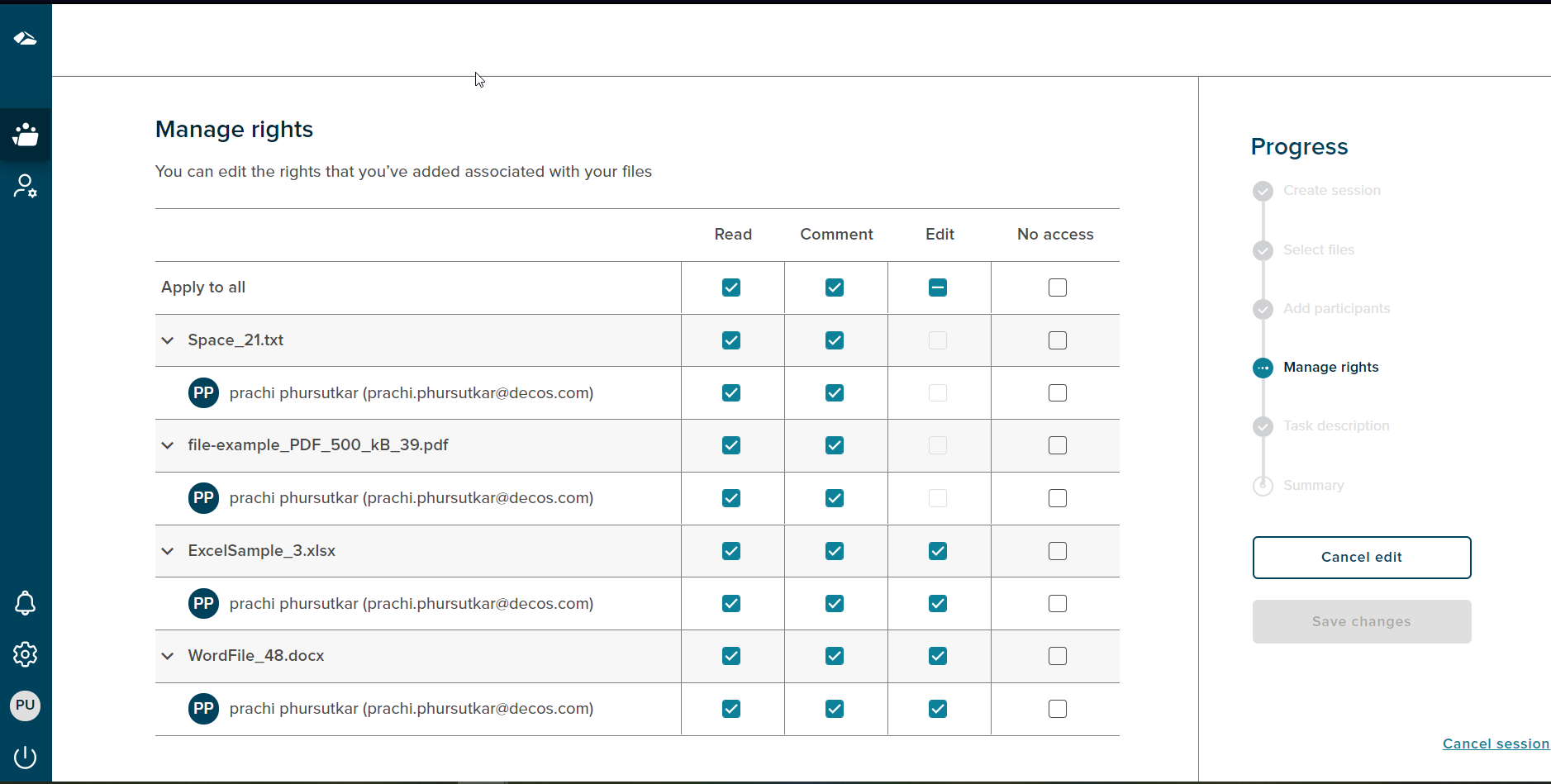
The same rules will be applied as seen on the manage rights page. The progress bar section shows ‘Edit Rights’ as the current state.
The ‘Cancel edit’ option is always enabled and on click of it the user will get navigated to the summary page.
The ‘Save Changes’ button is enabled when any changes are done on the ‘Edit rights’ page. On Save the changes are reflected on the summary page.
¶ Cancel Session
If a user wants to cancel the session,then the progress chart section has a ‘Cancel session’ link at the bottom right corner. On click of the ‘Cancel session’ link a popup will be shown.
There are two options on cancel, On Click of the ‘No,I’m not’ button,the popup gets dismissed.The popup has a close button (X) as well, on click of close button the popup gets dismissed. If user clicks on the ‘Yes,I’m sure’ button the session is cancelled and user gets navigated to the collaboration dashboard.
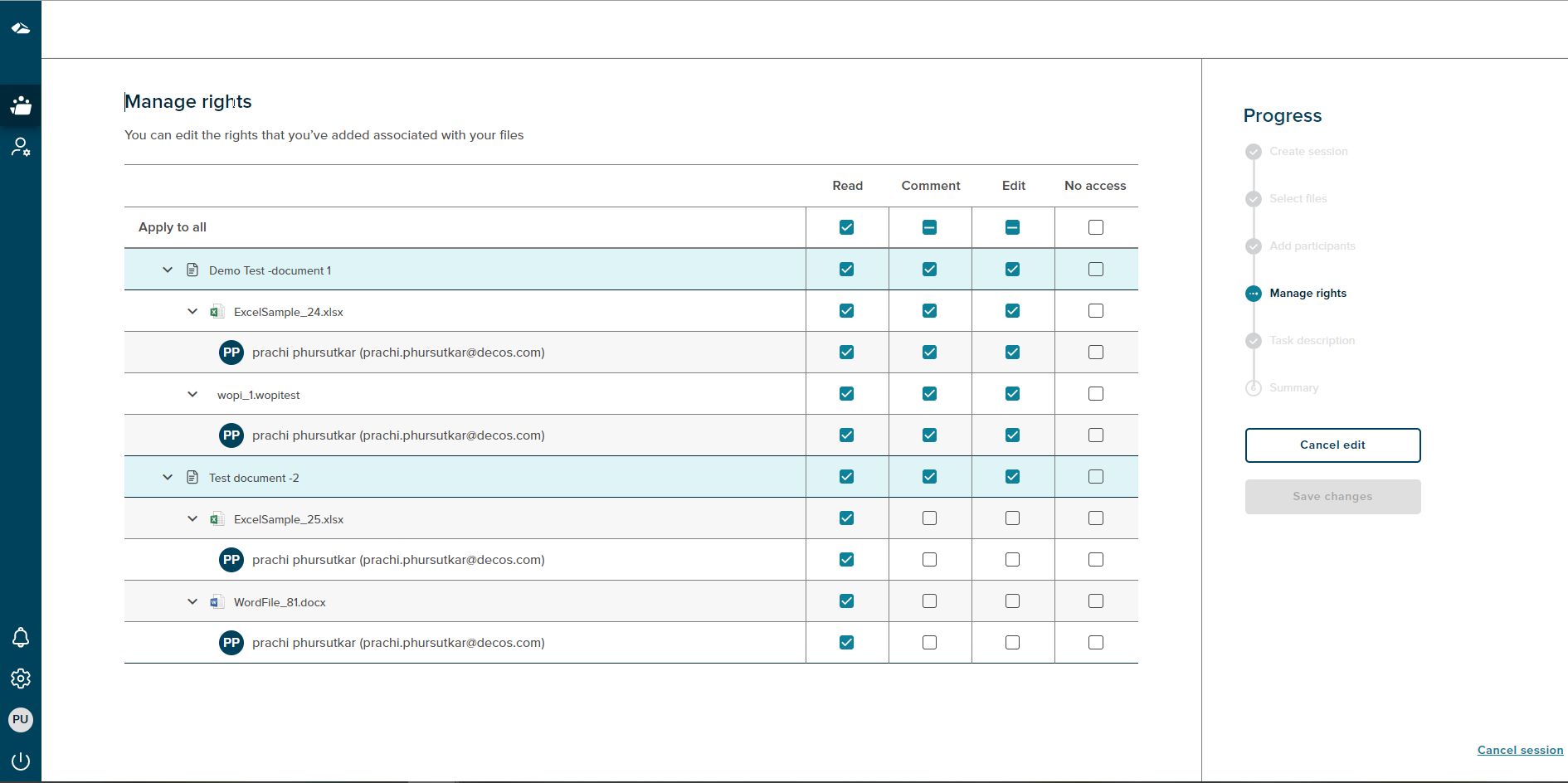
¶ Manage rights with Case Collection
The session initiator can change the rights assigned to files under the documents. The files view can be expanded or collapsed. The rights can be assigned at the user level by checking the checkbox next to ‘Apply to All’ field.