¶ Post End Session behaviour in JOIN
On end of a session by Session Initiator or a Collaboration admin user,the files selected for collaboration will be seen under the same document.
A new version of a file is created in JOIN which will include the edited changes done during the collaboration.
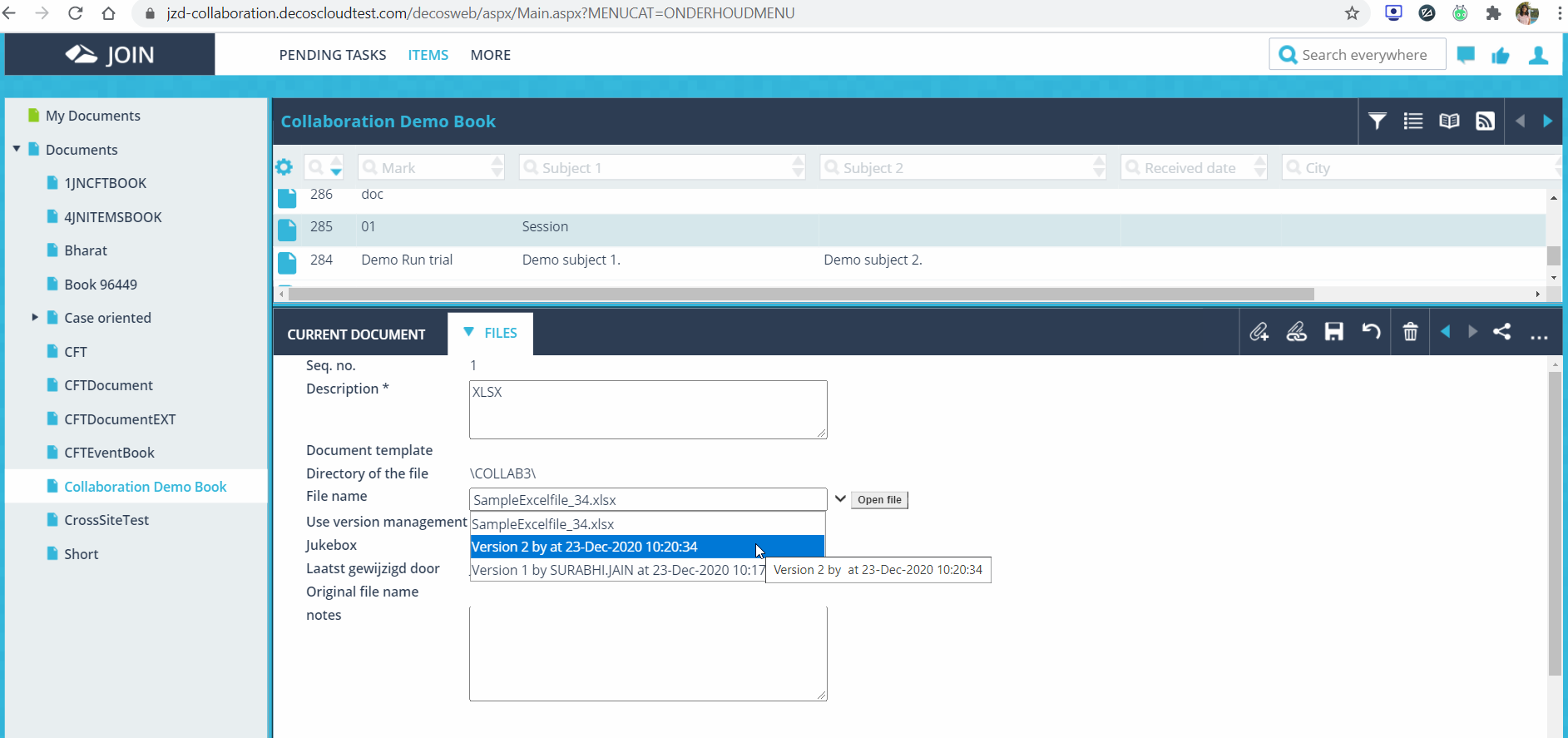
The previous version will show the Original file shared during the session initiation process.
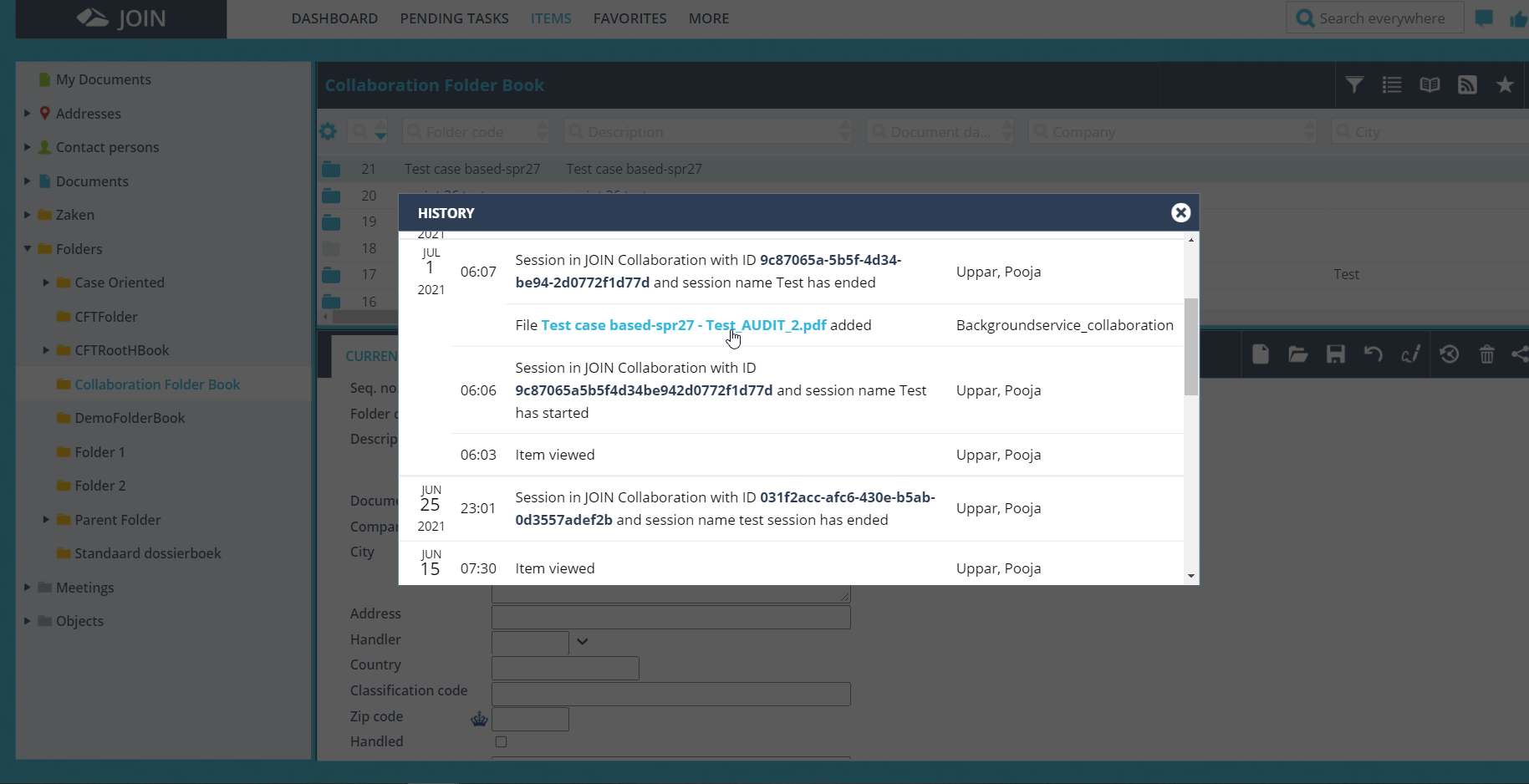
A Session audit pdf file is generated post end session. This file will include all the changes done during the collaboration session.
The categories of the session audit pdf are :
- Session
Session started event: This will provide detail information about who has started session and what was the session property.
Session ended event: This will show when the session was ended. - File
File added: This will show information about the file being added to session.
File privilege: This will show about events info mentioned below.
Comment right: Off
Download right: Off
Edit right: False
Read right: False - Comments
Placed: This will show the comment created information like who commented on which file etc.
React: This will show information about reply over comment.
Modify: This will show edited comments.
Delete: This will show which comment was deleted by whom when.
¶ Post End Session with Case Collection in JOIN
After ending the session in Collaboration, the files with the updated changes will be shown in Files section under the Documents.
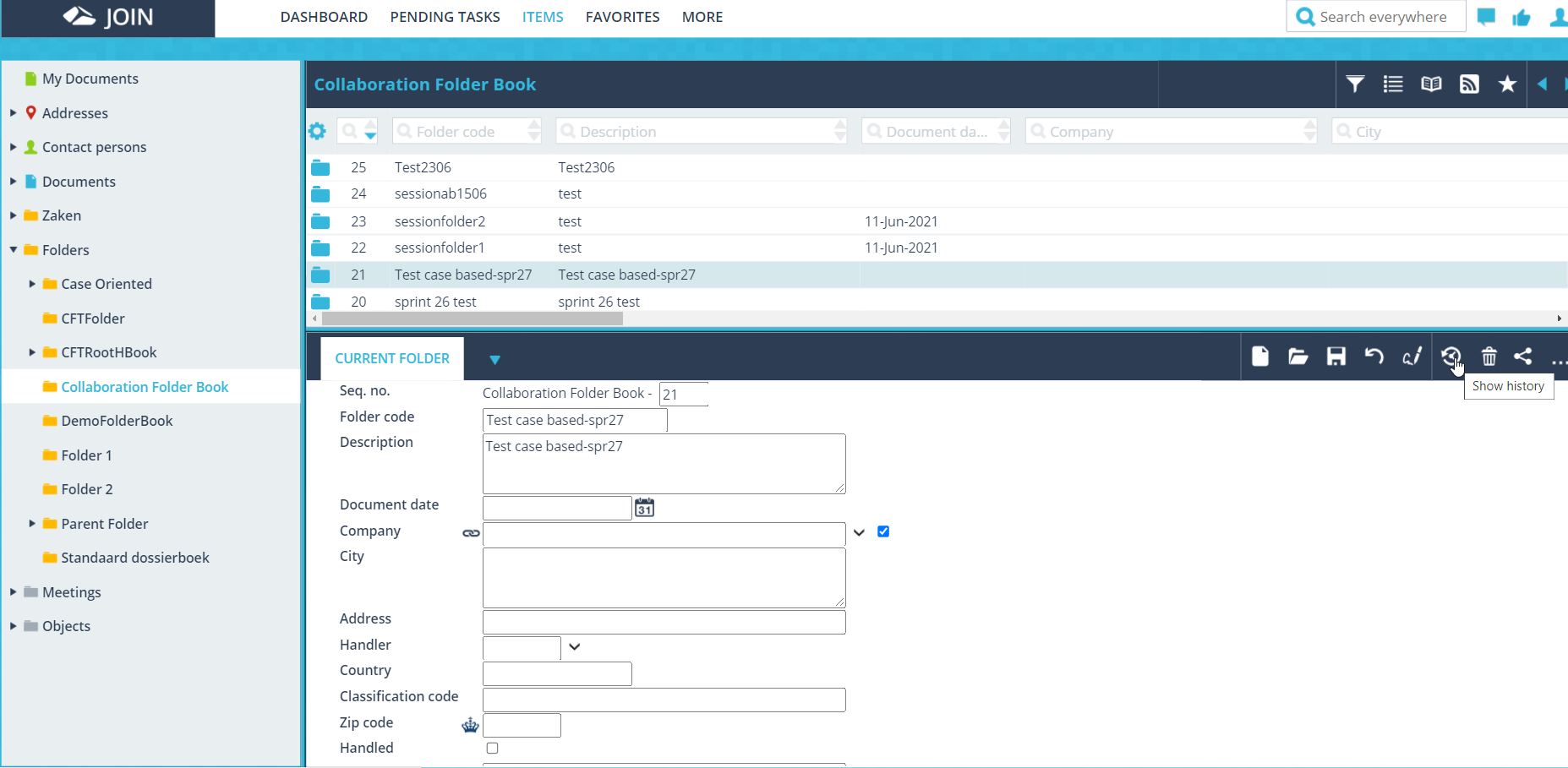
The session audit pdf is generated in the JOIN which contains all the activities performed in the Collaboration as described above. To access, the user needs to click on the ‘Show history’ icon under the folder created as shown below in the image.
A link to the audit pdf file is given in the history section. The file is named after the Folder name mentioned in the JOIN portal as shown below.On click of the audit pdf file link, the file will be downloaded.