¶ Add more files
On Summary page, on click of the ‘Add more files’ link will navigate user to the Add more files page.
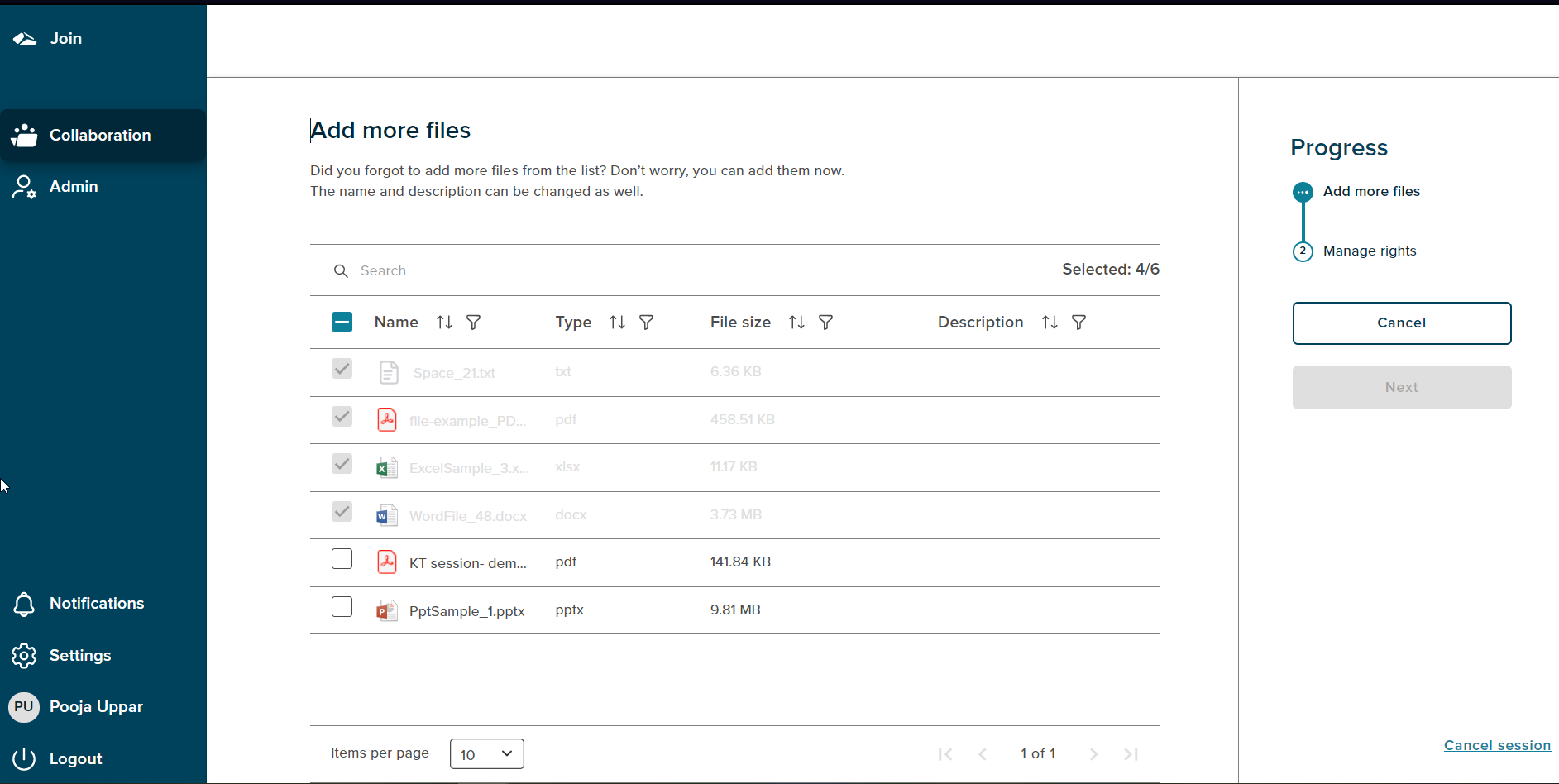
On the Add more files page, user can add any of the available files from the list. To add a file, user can select the file with a click on a checkbox. The ‘Manage rights’ button will be enabled and user can then give the rights to the newly added file. On click of the Summary button, the added file will be seen on the summary page.
If there are no files available to add, then there will be no change done.
On Click of cancel button, user gets navigated to the Summary page.
¶ Add more files with Case Collection
The tenant user can add additional files in the session from the ‘Select files’ page. The files which are already selected will be displayed in grey as shown below. The files which were not selected earlier can be selected by clicking the checkbox against the enabled files and click on the ‘Next’ button. The user proceeds to the page where rights for the newly added files can be assigned and on click of the Save button, the files will be displayed on the Summary page.
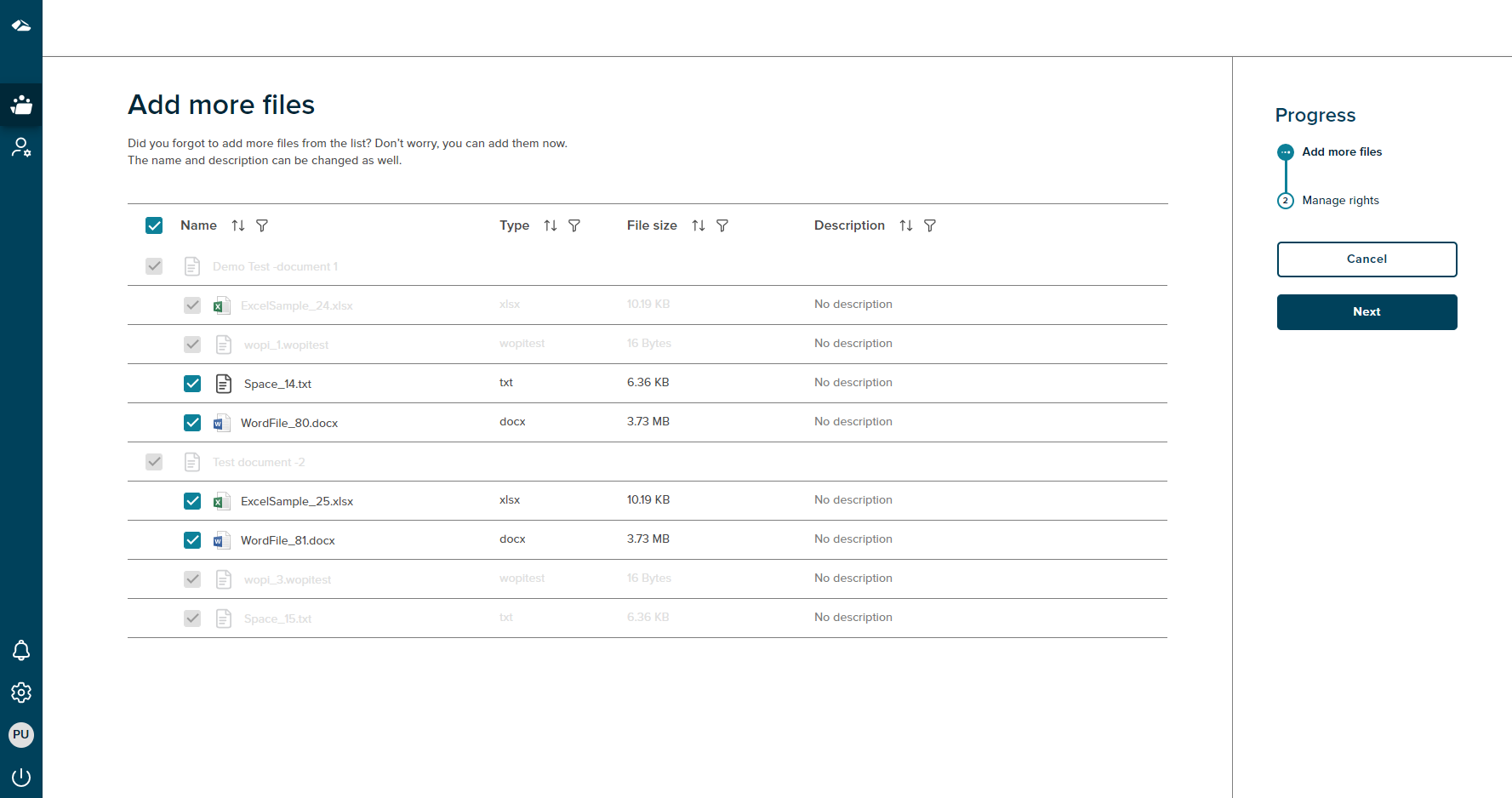
If there are no files available to add, the ‘Next’ button will be disabled and on click of the ‘Cancel’ button the tenant user will be navigated to the summary page.