¶ General
The Platform admin can manage all the Global settings of the organization in this section.
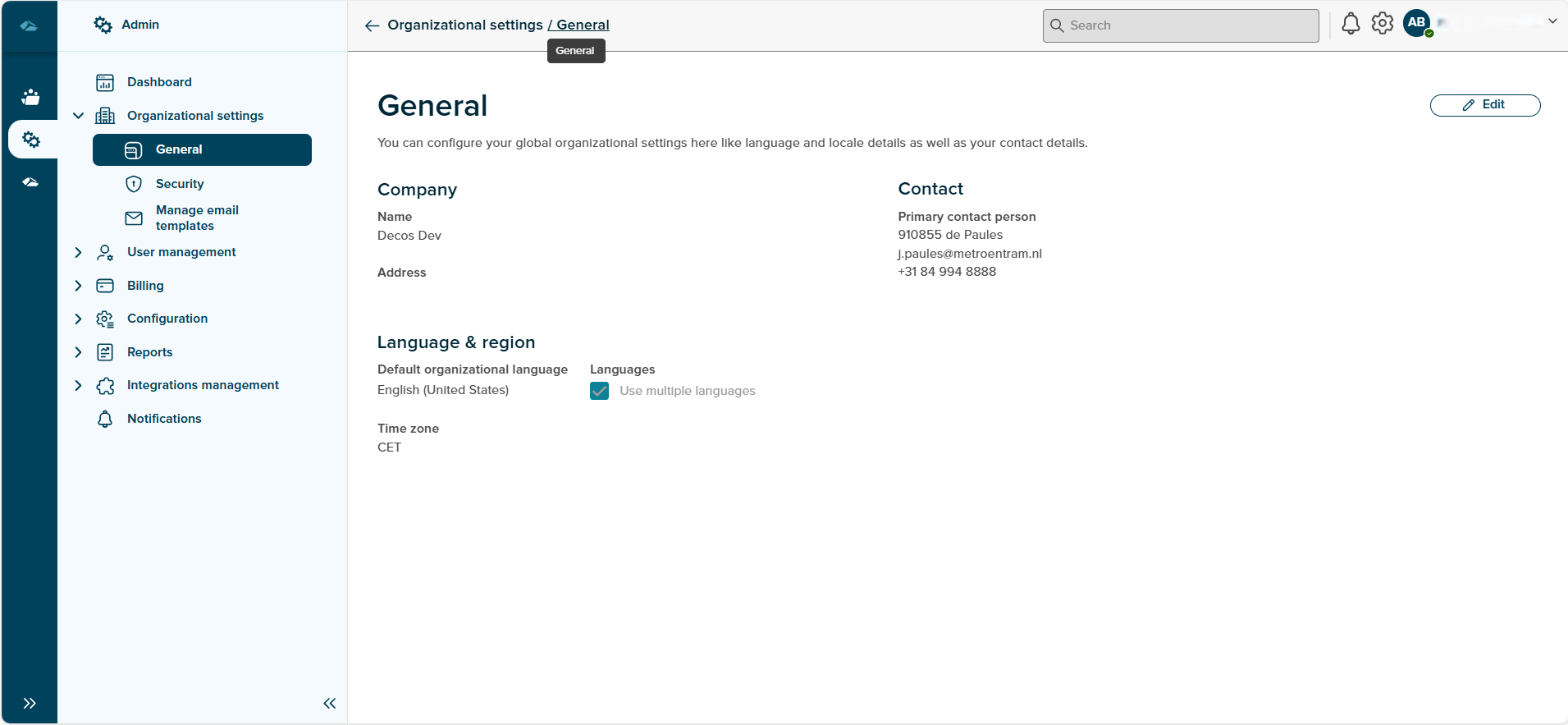
The breadcrumbs on the page contain the links to Admin Overview page. The General page displays the details of the Company with Name, address and Contact details. The language & region section is mentioned below the Company section along with the Time Zone and a Edit button. On click of the Edit button, the platform admin can edit the details on this page among which the Company details- name and address cannot be altered.
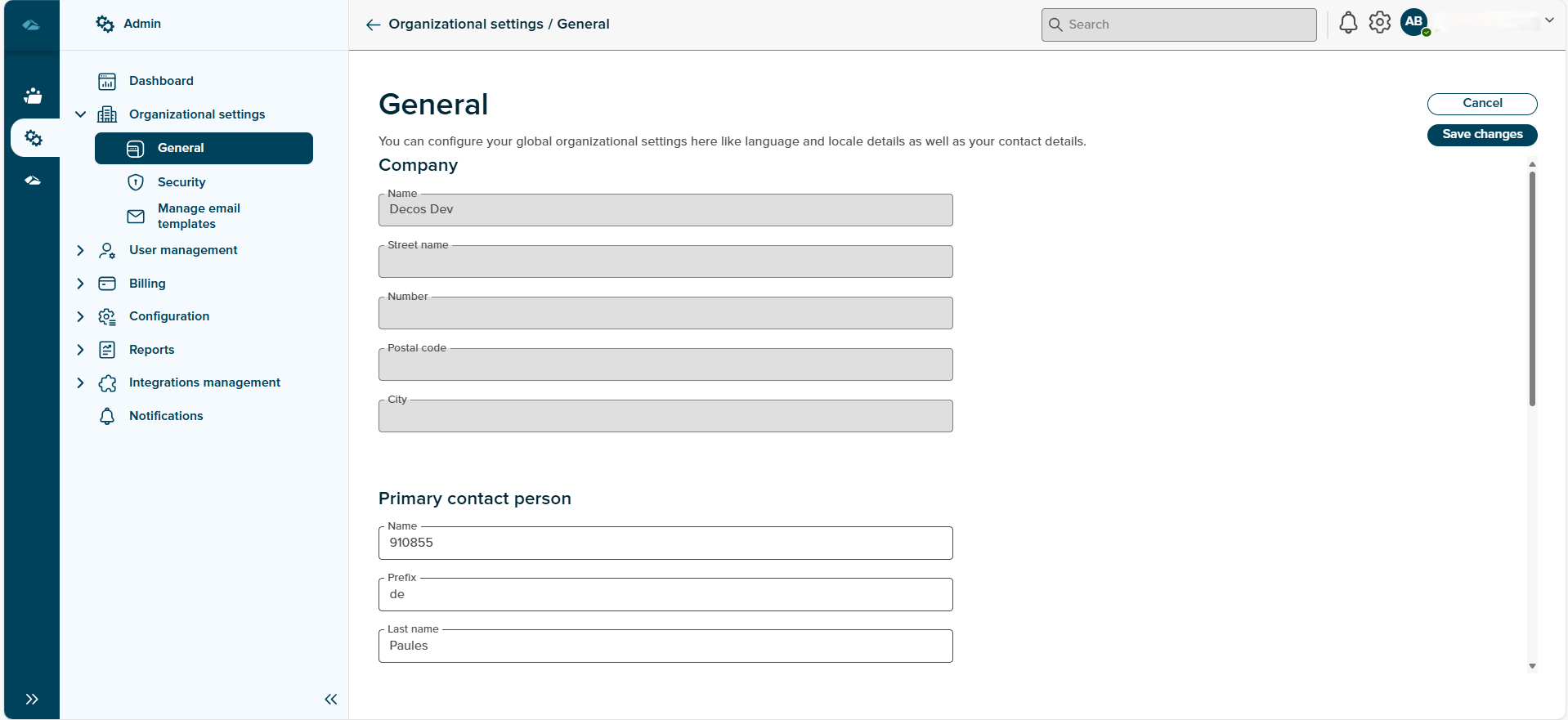
The Contact and the Language & Region section can be edited. Using the Save button the changes made are saved successfully. On click of the Cancel button, the changes made are discarded.