¶ Fields
Fields are used in Profiles, and fields which are to be re-used in the multiple profiles are created in this field Page.
On the Field Overview page, we can see different column option like below
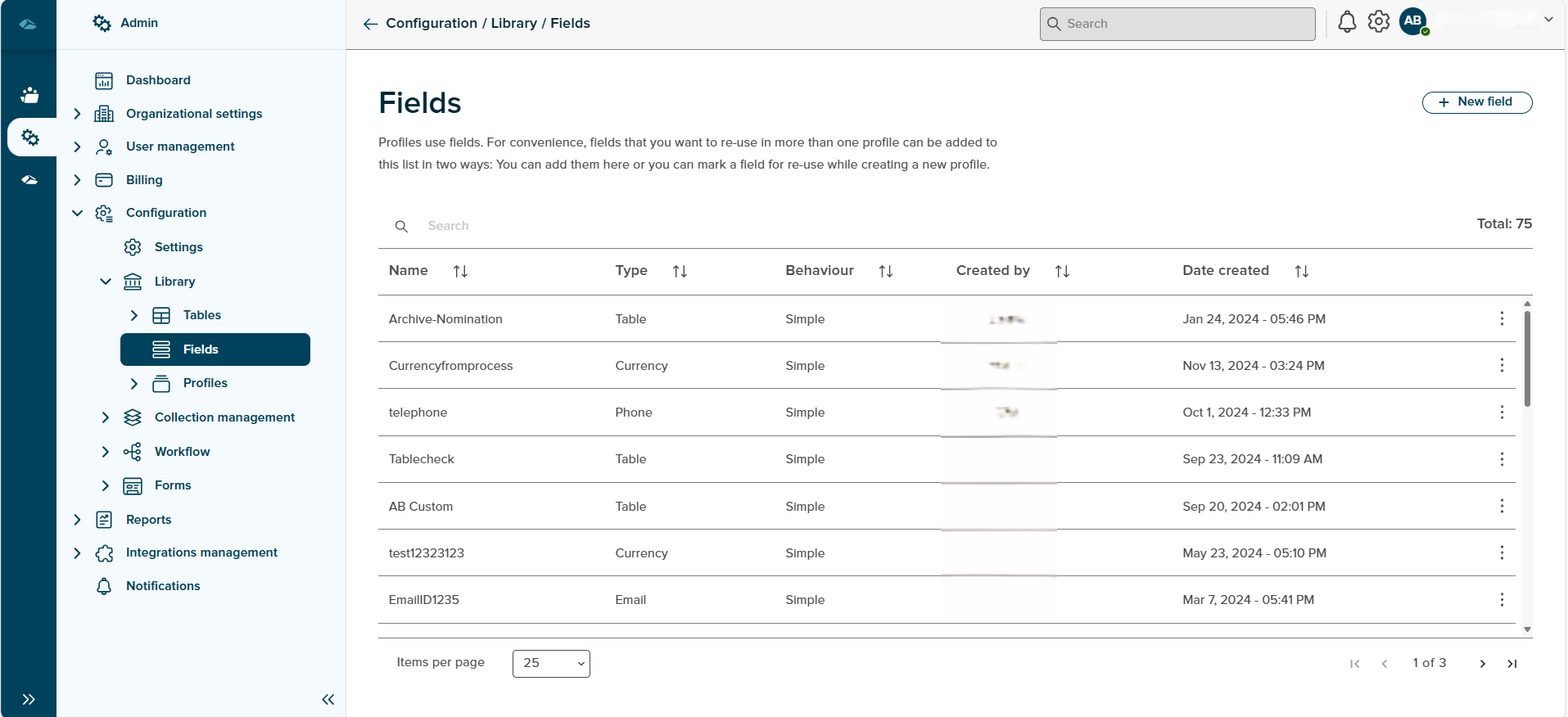
- Name : Name of the Field will be displayed under this column.
- Type : Type of the field will be displayed under this column.
- Behavior : Behavior of the field will be displayed under this column.
- Created By : Name of the creator will be displayed under this column.
- Date Created : Creation date of the field will be displayed under this column.
¶ Creation of Field
On click of New Field button in fields home page, Side panel will opened to create new field.
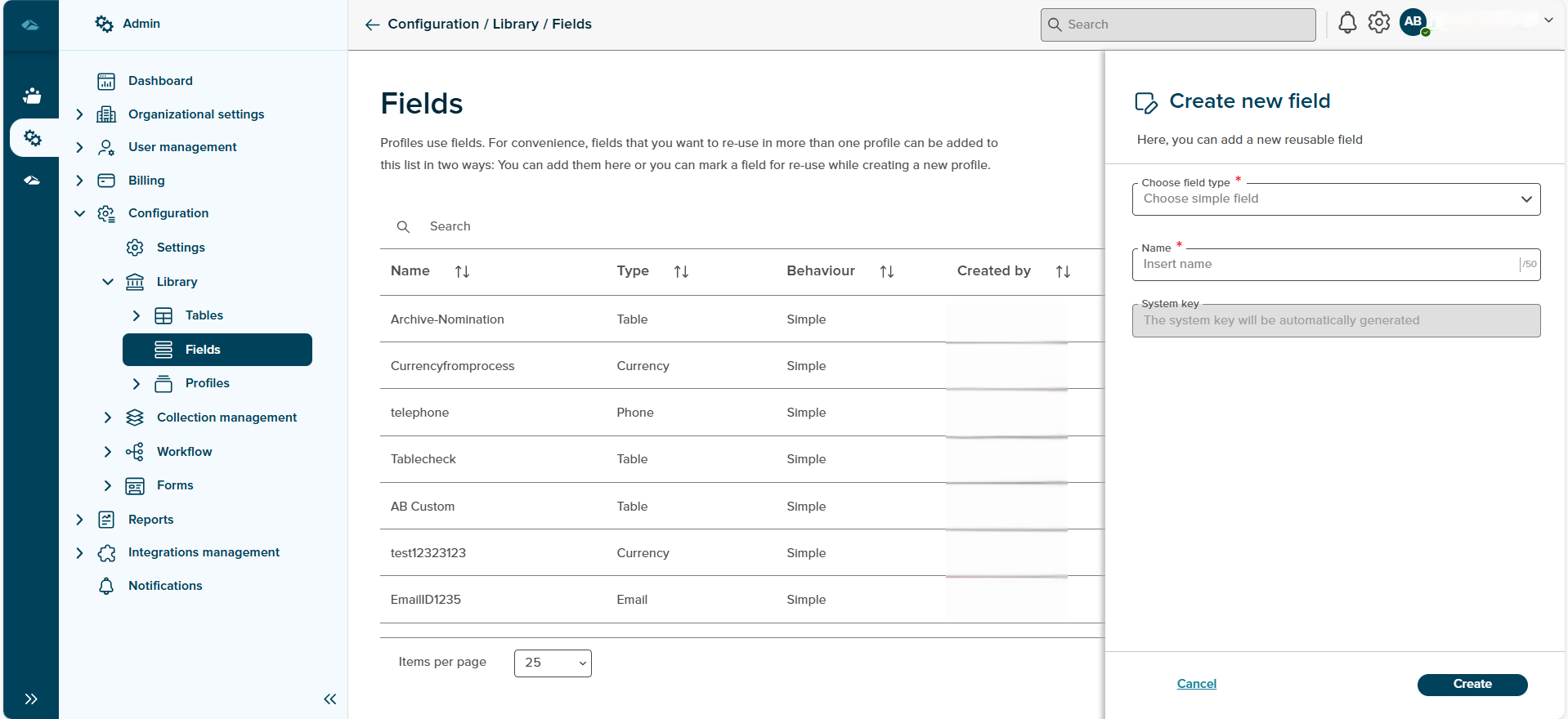
Side panel will have option to choose field type and a input field to enter field name and Create button
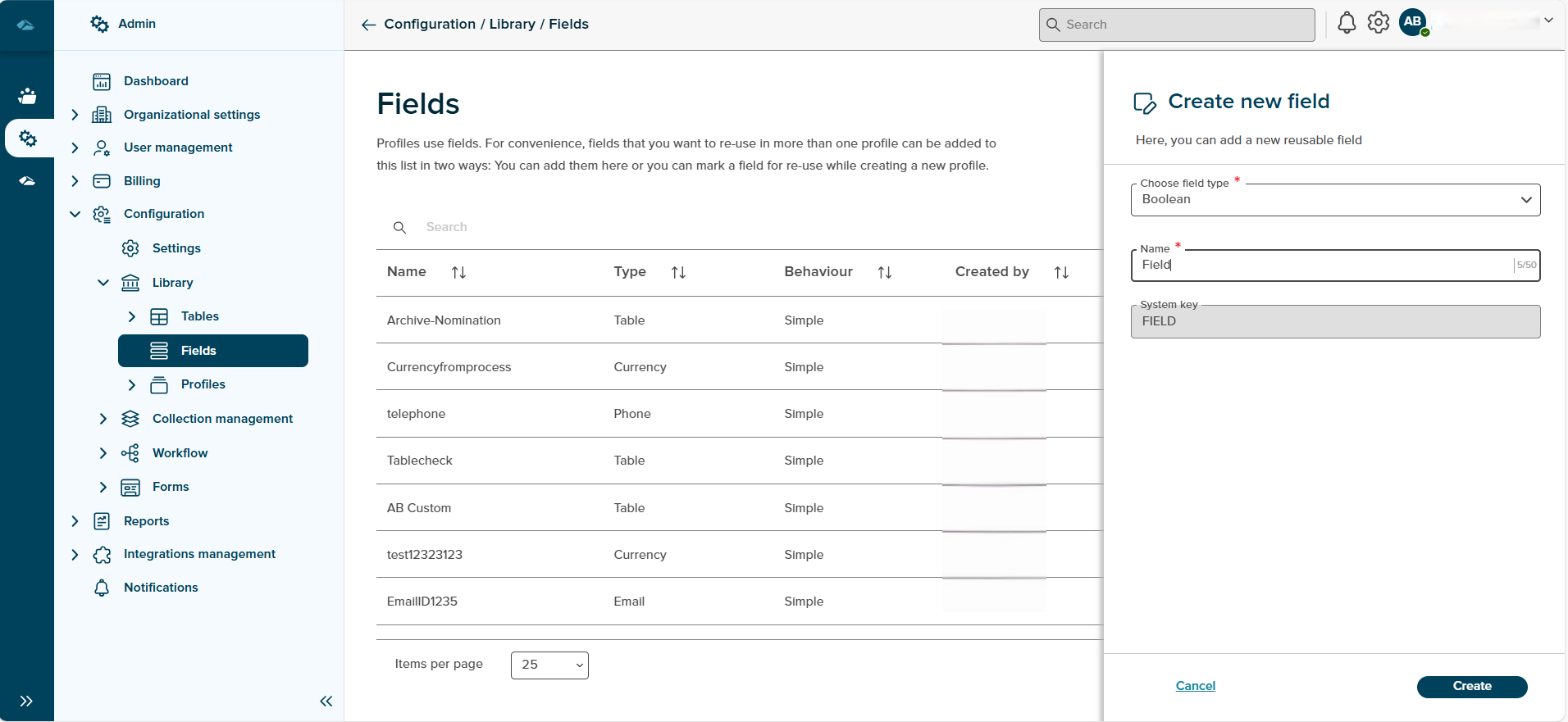
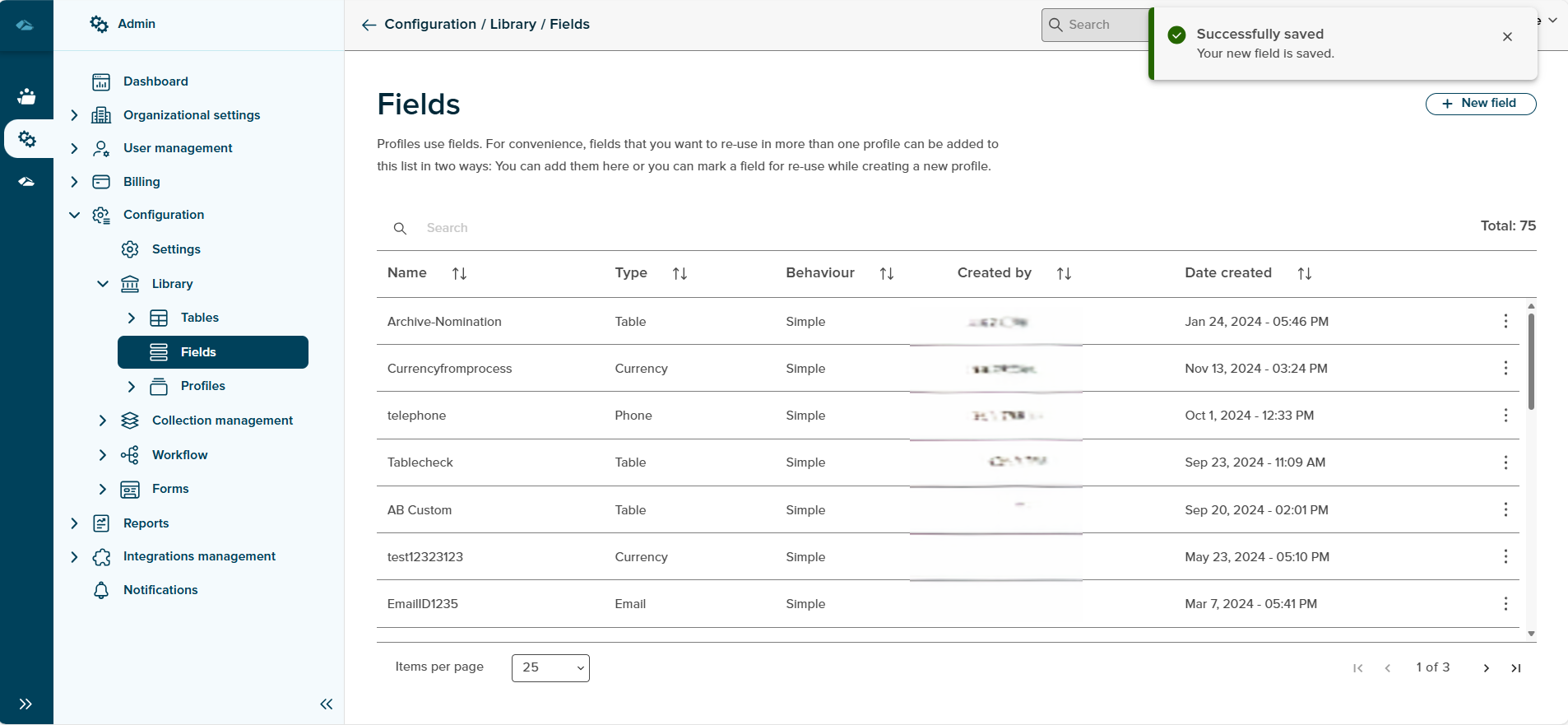
After entering the Name and clicking Create button, a toast message will be displayed to show the success of the operation and the create field will be populated in the Field overview page.
¶ Manage Field
Each Field will have kebab menu and its options, Edit and Delete
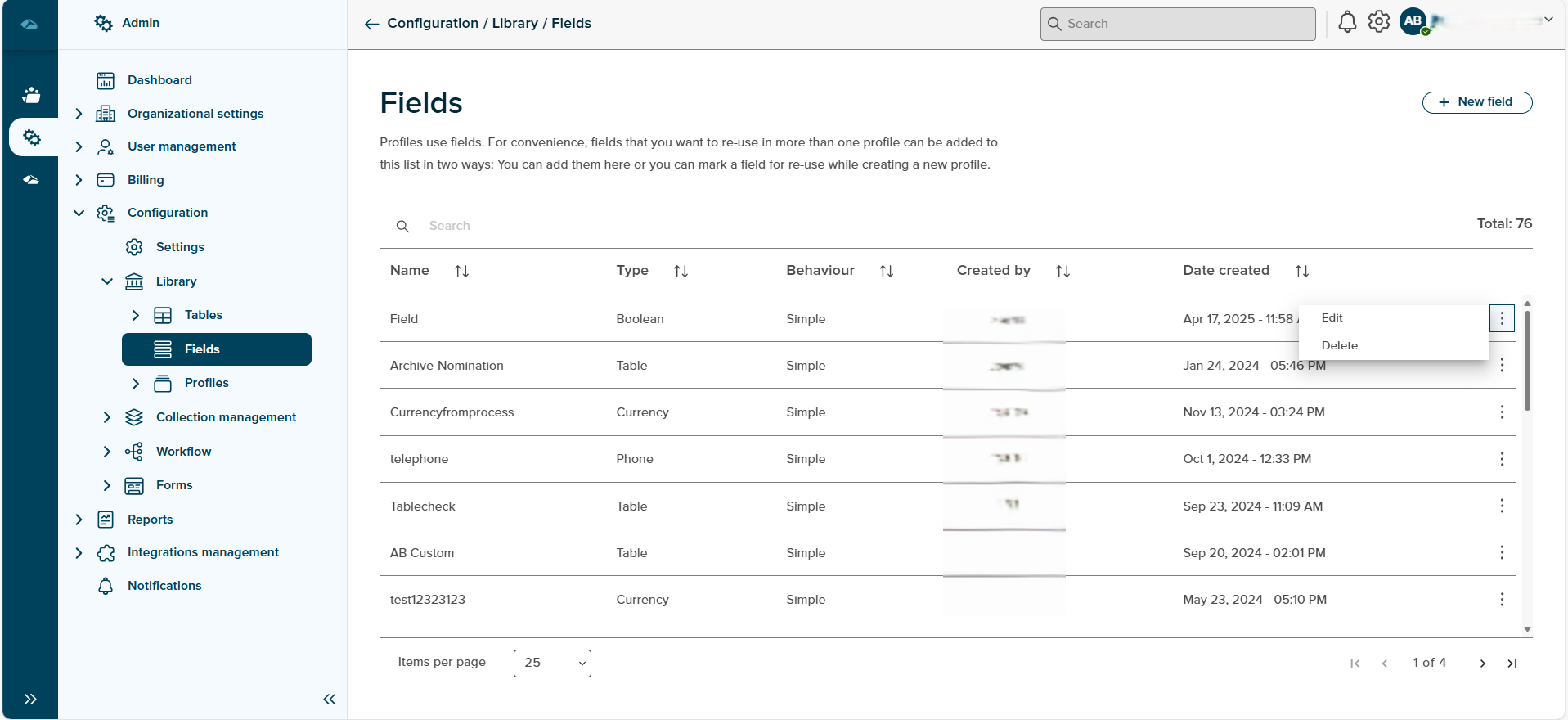
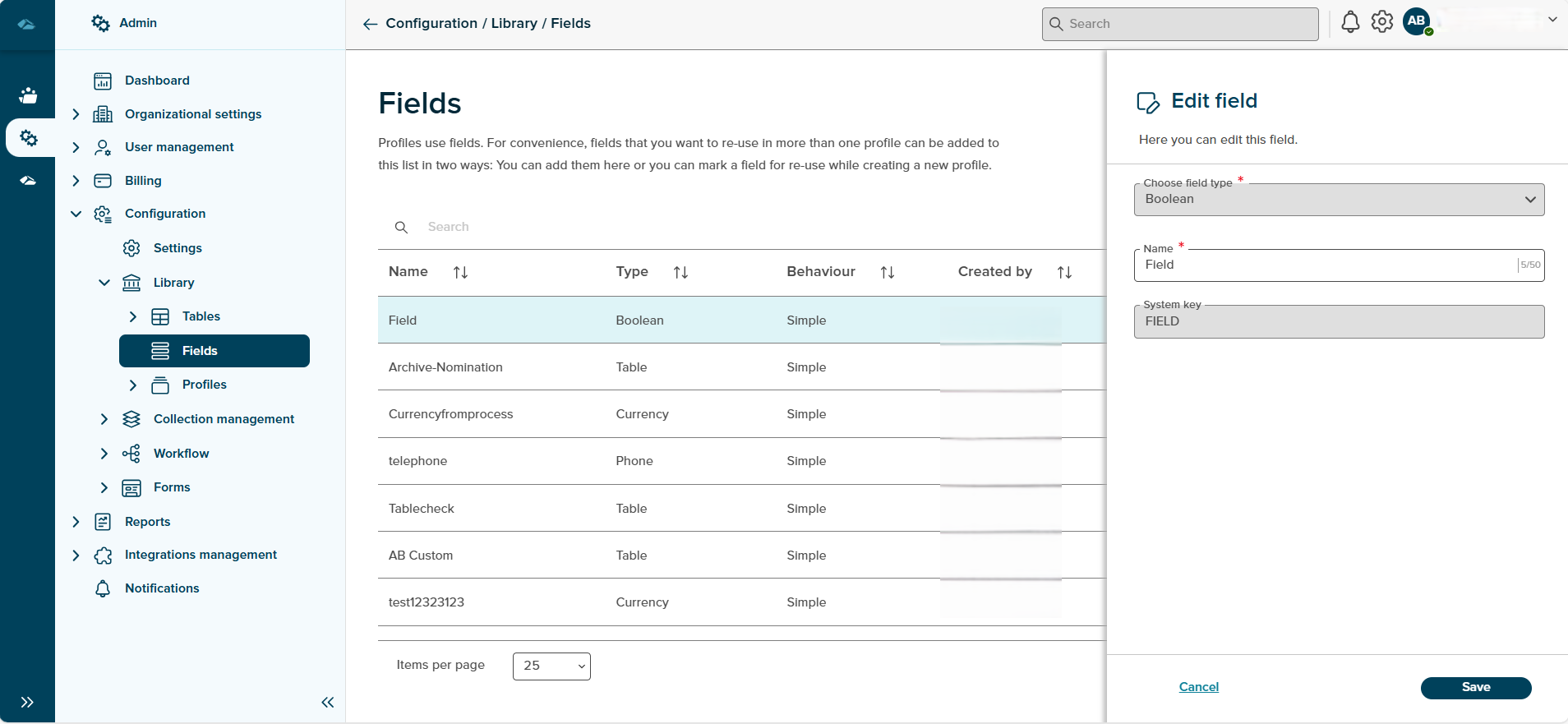
- Edit : clicking on this option, will open the side panel in edit mode, which can be used to update the field.
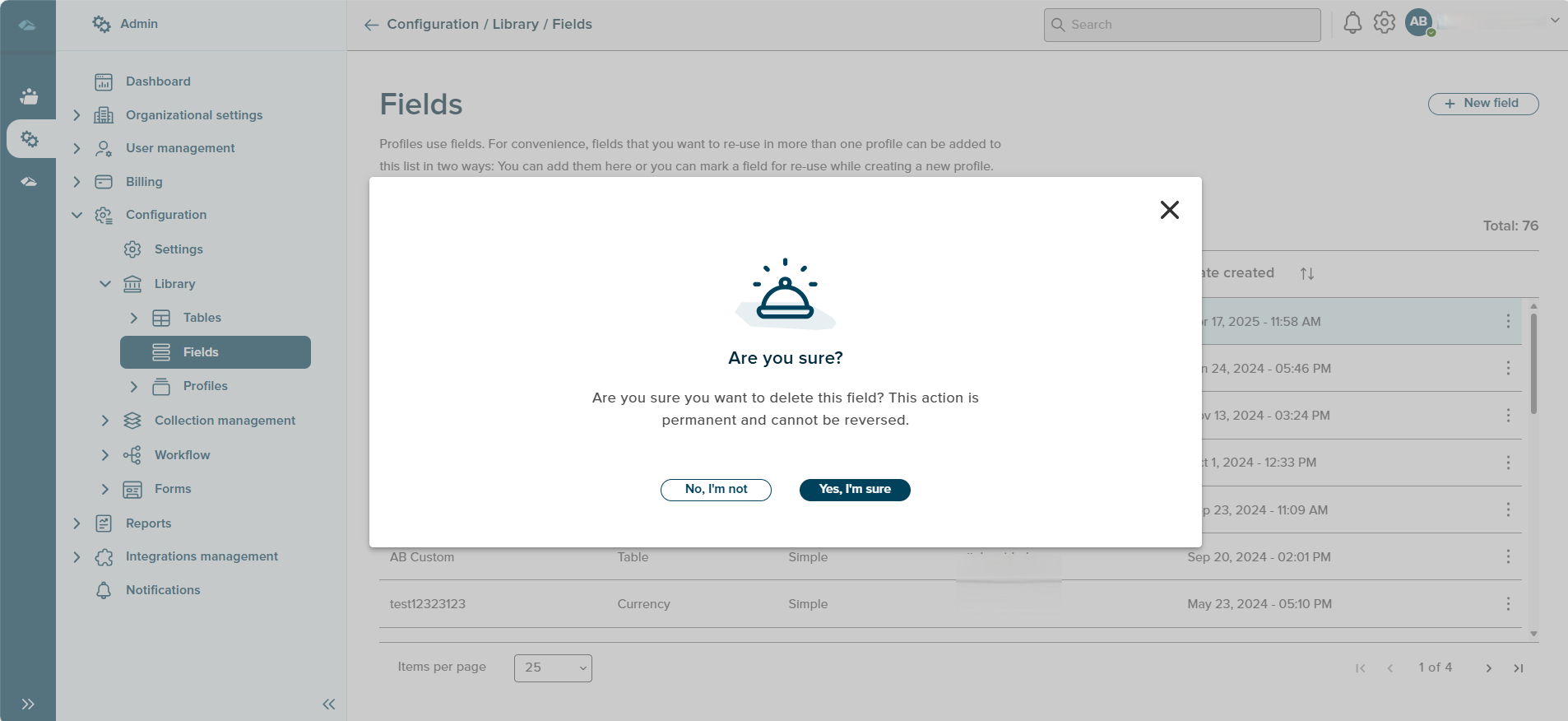
- Delete : Clicking on this option, pop-up message will be displayed to delete the field.
¶ Simple Fields
- LastName
- Initials
- NamePrefix
- Gender
- FirstName
- DateOfBirth
- Street
- House Number
- House Number Addition
- Zip Code
- City
- Province
- Country
- Name
- KVKNumber
- PhoneNr
- CellPhoneNumber
- EmailAddress
- Website
- WhatsAppNr
¶ Smart Fields
- Subject
- Processed
- ProcessedDate
- Customer
- SequenceNr
- DateCreated
- CreatedBy
- ModifiedBy
- DateModified
Sort
A Sort icon is present against every field which allows a user to sort and display the data in either ascending or descending or in a default order.
Total
Total Field shows the number of field are available in the fields overview page.
Search
Search Field is available to search any particular Field in the overview page.