¶ Decision Types
Processes can contain decisions. Decision types can be created here so that they can be linked to processes to which this decision may apply.
The empty state of the decision-type page is displayed below:
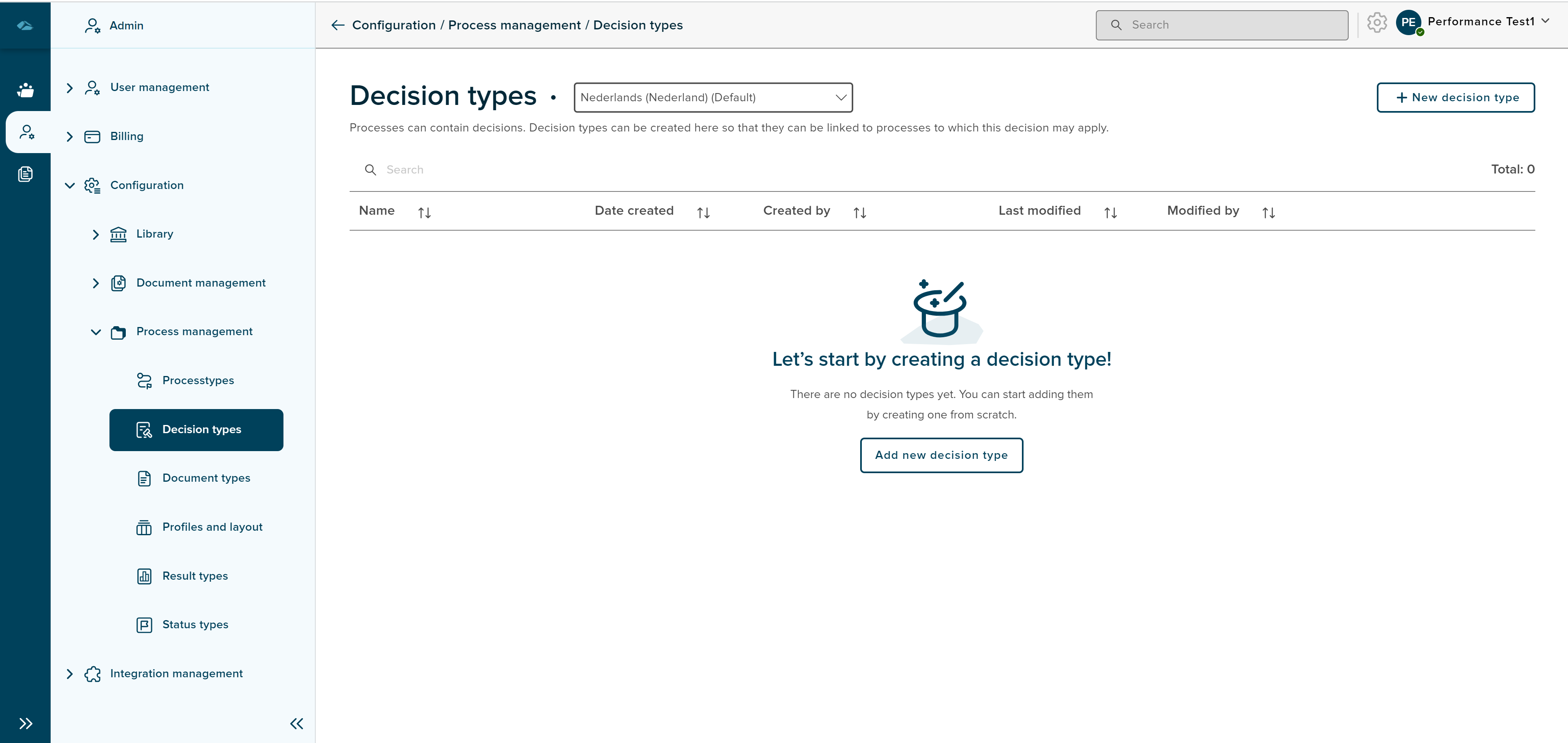
Decision types home page list view has different columns, each column will show the information below
- Name : The Name of the Decision type will be displayed.
- Date Created : - The date of creation of the decision type will be displayed under this column area.
- Created by - Created by creator will be displayed under this column area.
- Last Modified - Last modified Date and Time will be displayed under this column area.
- Modified by - The last modified creator name will be displayed under this column area.
¶ Create Decision Type
Decision Type can be created by clicking on the New decision type button on the top right corner of the list view page.
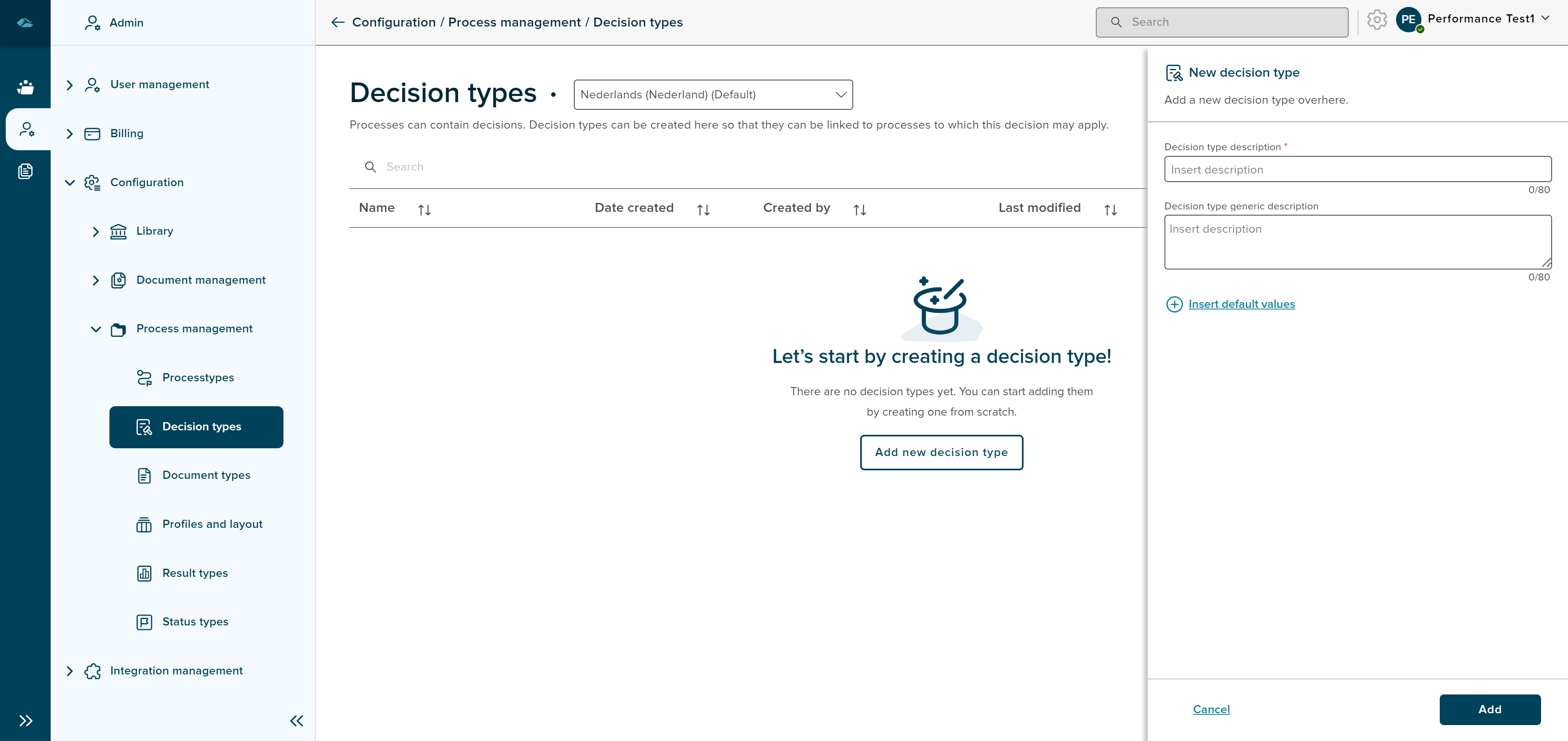
After clicking on the button, the side panel will be opened for creating the decision type. The side panel will have 2 input fields such as Decision type description which is a mandatory field and Decision type generic description.
Admin can add default values using the Insert default values button, the the side panel will expand to show the input fields to insert the default values.
Insert default values screen is displayed as shown in the below image.
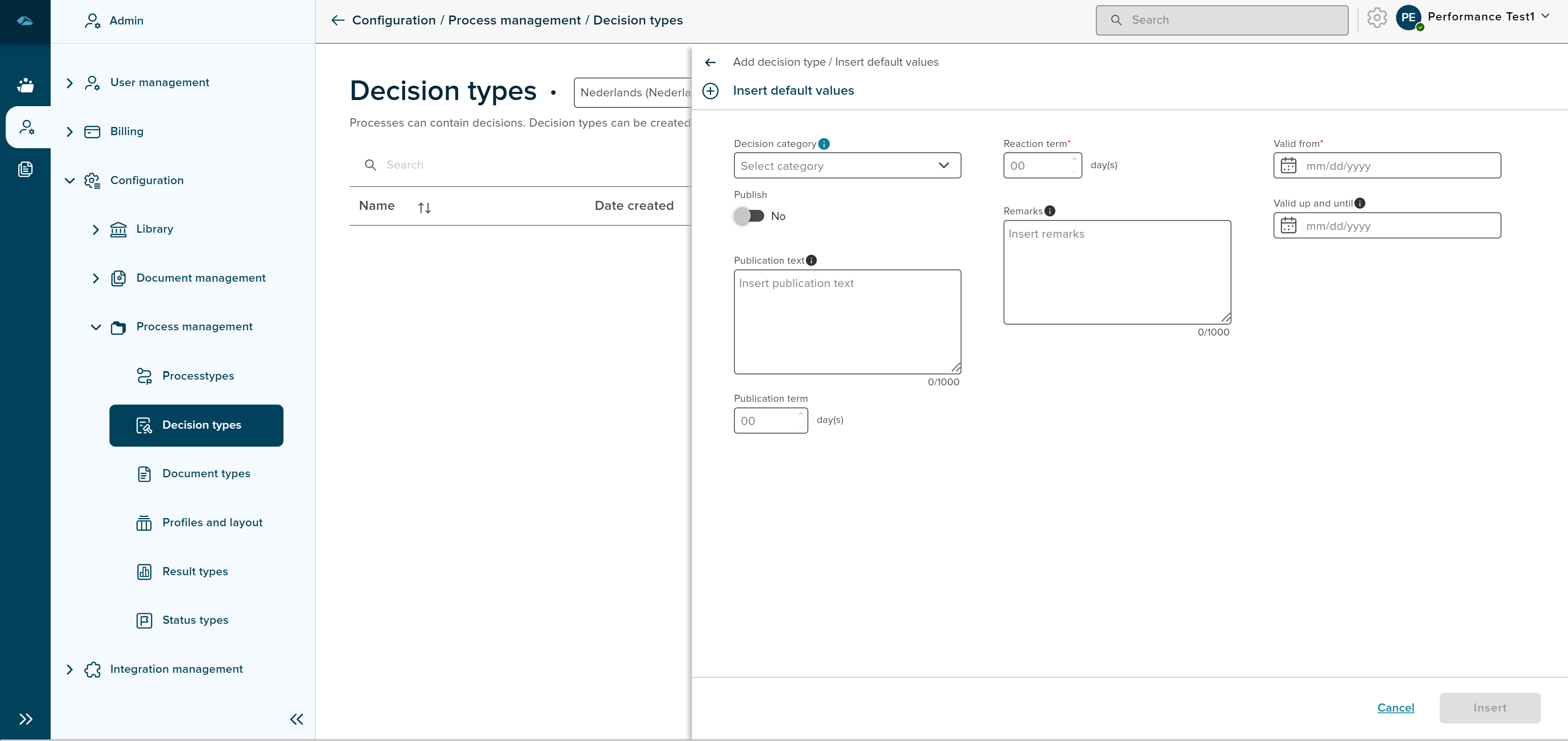
Admin can click on Insert button to add the default values and cancel the default values screen by clicking on the Cancel button.
After clicking on the Insert button, the admin will return to the decision type creation page. Here, the Add button can be clicked to add the decision type or can close the creation side panel by clicking on the Cancel button.
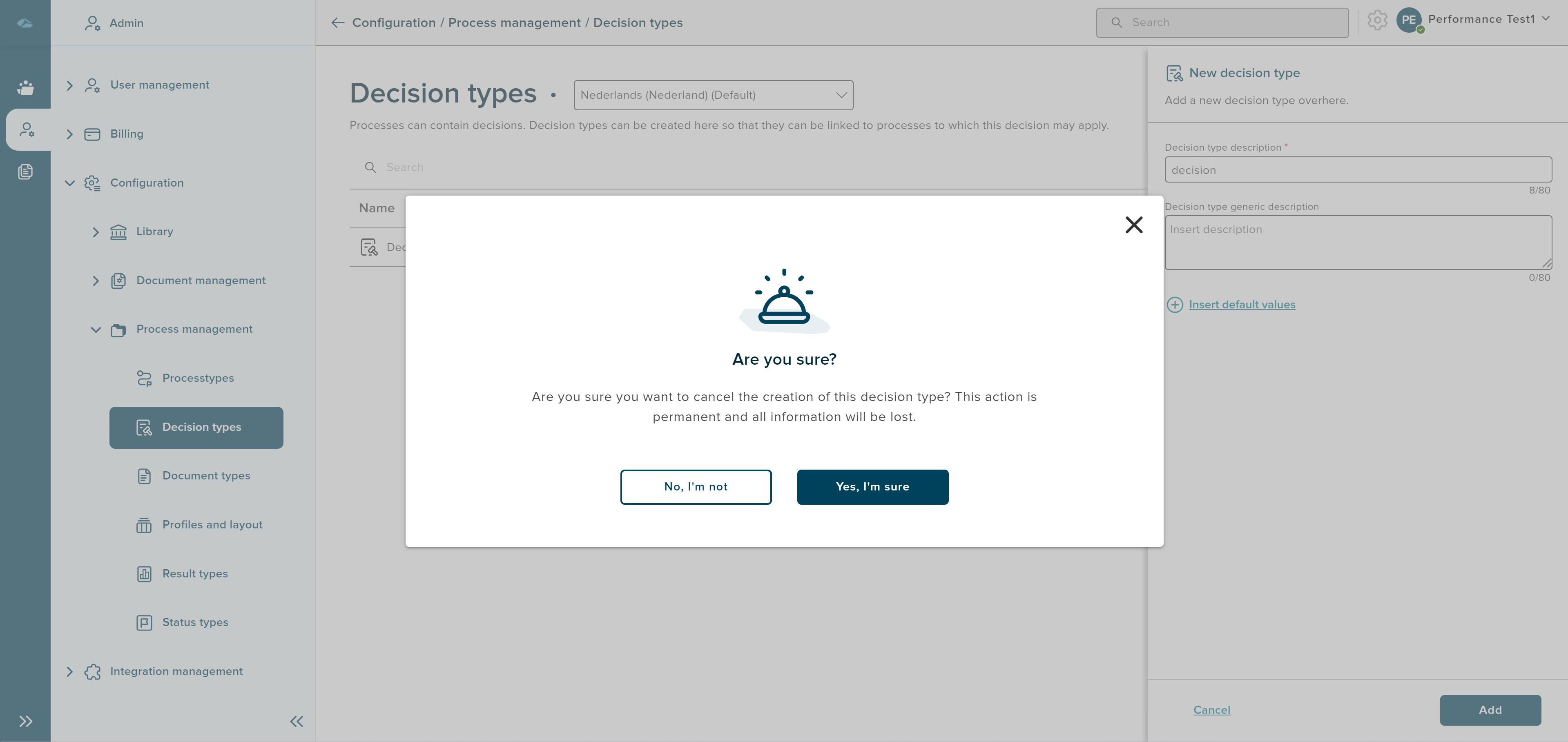
On clicking the Cancel button, a pop-up message is displayed to warn about the action which leads to information loss. clicking on Yes, I’m sure will exit the page from the creation, and clicking on No, I’m not will close the pop-up screen.
After the creation of the Decision type, the Success toast message is displayed and the admin will be in the list view page with the newly created Decision type with New Tag.
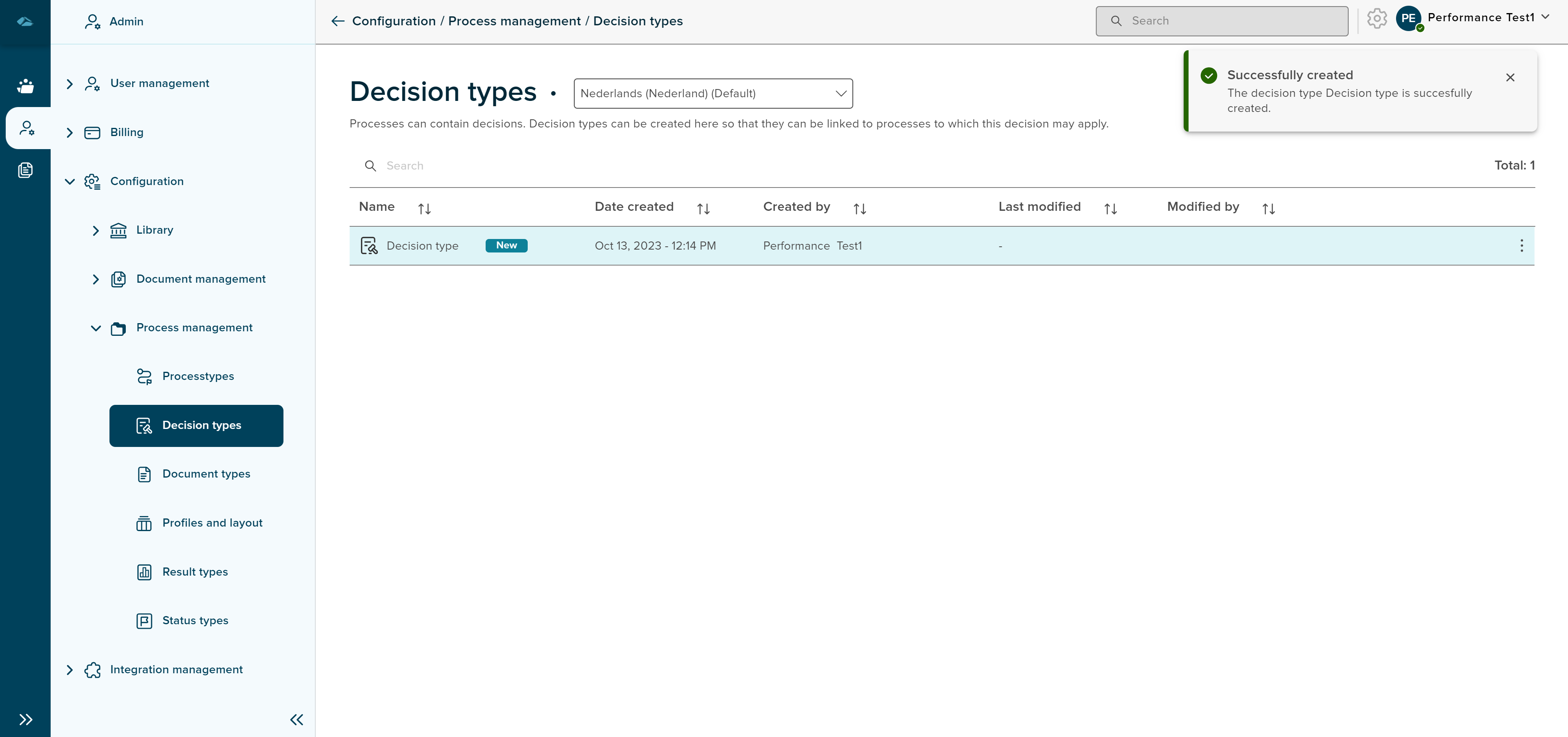
The Kebab Menu option of the Newly Created decision type contains 4 options, which are as follows
- Details - Clicking on this option will show the Details page of decision type
- Show in side panel - Clicking on this option will show the details of the decision type in the side panel in read-only mode
- Edit Metadata - Clicking on this option will show the details page in edit mode
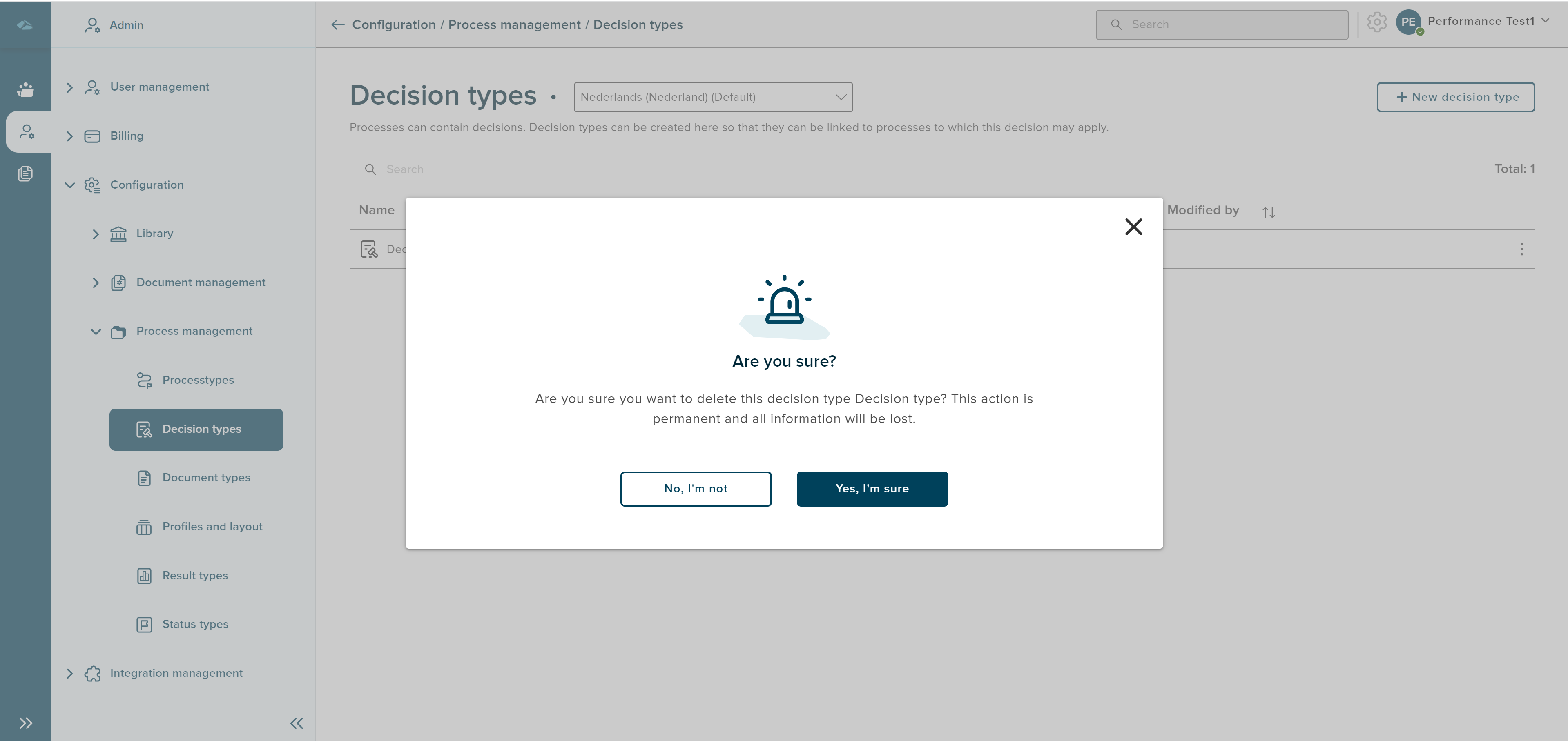
- Delete - Clicking on this option will show the pop-up message to display whether to delete or not, The Image is displayed below
The details page of the decision type is shown below
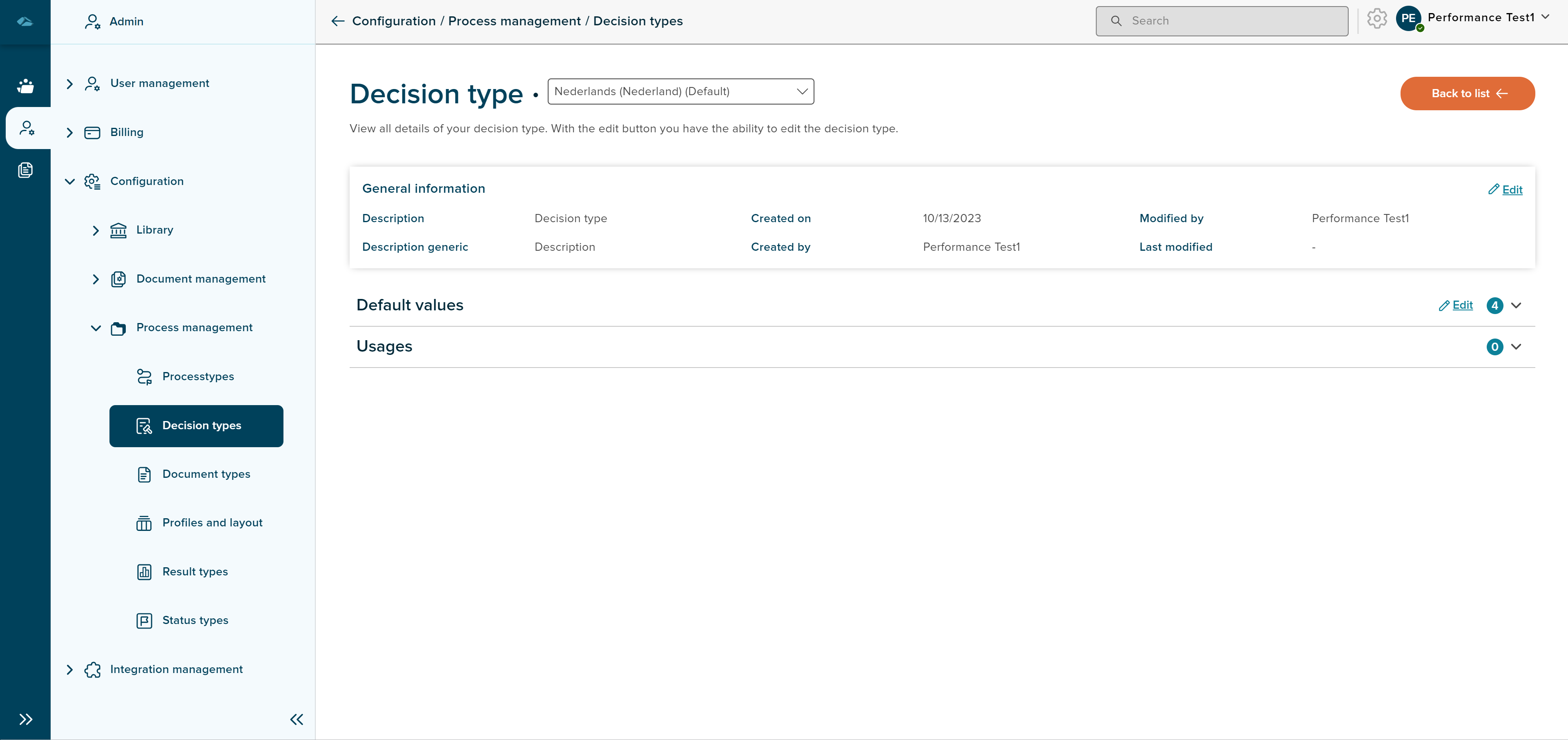
There are 2 sections in the details page of the decision type such as
- Default Values - Default values which are set during the creation of the decision type are shown under this section
- Usuages - Details of the usages of the decision type are shown under this section
Sort
A Sort icon is present against every column which allows a user to sort and display the data in either ascending or descending or in a default order.
Total
Total Decision type shows the number of Decision types available in the overview page.
Search
Search Field is available to search any particular Decision type in the overview page.